About Cube
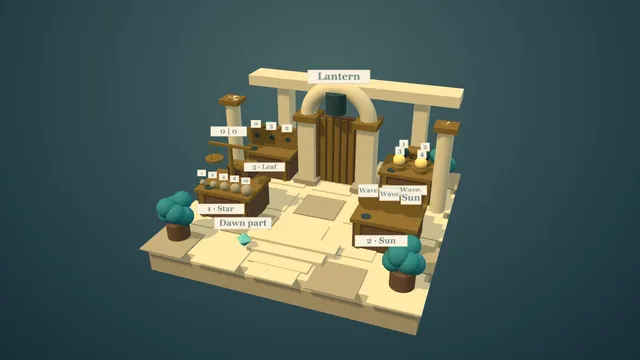
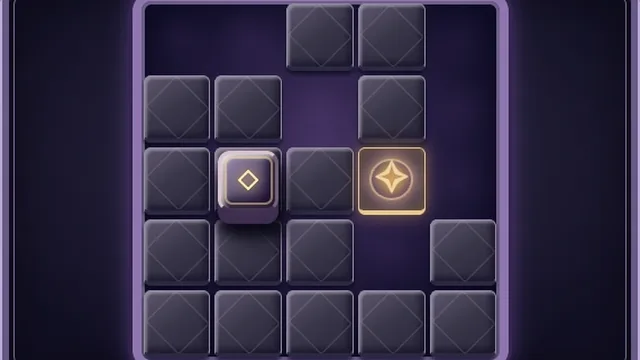
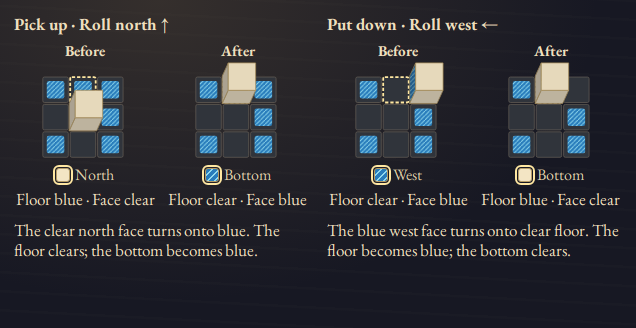
Roll an ivory cube over blue floor squares. Each landing swaps paint between the floor and the cube’s bottom face, so a return trip can put paint down again.
Plan turns and detours across 52 boards, keeping track of all six faces in the face chart. Finish with every face blue, then revisit a board to find a shorter route.
How to play
- Goal
- Paint all six cube faces blue.
- How it ends
- All six faces are painted together.
- Record
- Fewest rolls; first-solve time.
- Choose a board. Tap a square directly beside the cube or use a direction button to roll one square. The cube turns a quarter-turn before touching the floor.
- On landing, the bottom face and its floor square exchange paint. Clear face onto blue floor picks paint up; blue face onto clear floor puts it down. Blue onto blue leaves both blue.
- Use the six-face chart to track painted faces, including those hidden underneath or behind the cube. North, east, south and west describe the board directions.
- Paint all six faces at once to finish. There is no move limit and no permanent failure.
- Undo restores the exact earlier position and paint. Rolling in the opposite direction is a new roll, so it can exchange paint again. Redo restores an undone roll.
- Rolls count your current route: Undo removes its final roll and Redo restores it. Restart clears the route while the original clock keeps running. Your first time stays fixed; later finishes can improve fewest rolls.
Controls
| Input | Action |
|---|---|
| Tap an adjacent square or a direction button | Roll one square |
| Arrow keys / WASD | Roll north, east, south or west |
| Z / Y | Undo / Redo |
| R | Request Restart |
| Tab / Shift+Tab, Enter or Space | Reach and activate controls |
| Escape | Open Menu or close a dialog |
| Gamepad D-pad / stick | Roll during play; move focus in menus |
| Gamepad A / B / Start | Activate / back / menu |
| Gamepad LB / RB, X, Y | Undo / Redo, Restart, How to play |
Tips
- Plan the landing face Follow which face will touch the next painted square. A useful detour can change that face before you return.
- Use Undo deliberately Backtracking is another paint exchange. Use Undo when you want to restore the exact state you just left.
Good to know
Progress and Undo history save in this browser when storage is available. The clock runs through rules, menus and Restart. Reload keeps your route but makes time practice. Your first time stays fixed; later eligible routes can improve fewest rolls. Oversized routes stay local. Music, Effects and Reduced motion have separate switches.
Watch how to play
Questions
Why did I lose paint when I rolled back?
Landing exchanges paint again. If a painted bottom face lands on clear floor, it puts paint down. Undo restores the previous state without making another exchange.
Do I need the shortest route to win?
No. Any legal route that paints all six faces wins. Fewest rolls is a separate result you can improve.
Does blue on blue erase paint?
No. The two painted surfaces swap paint, leaving both blue.