About Konarupu
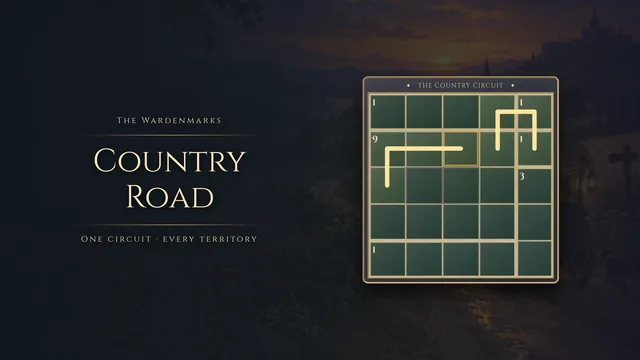
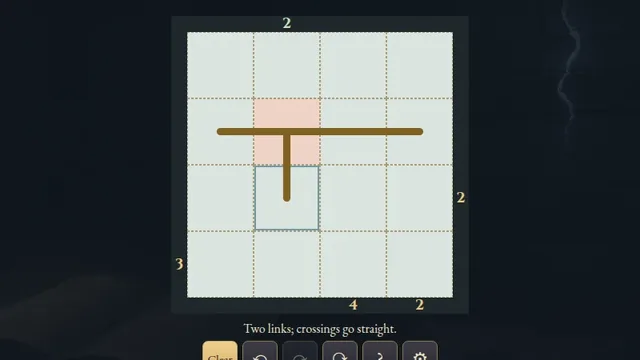
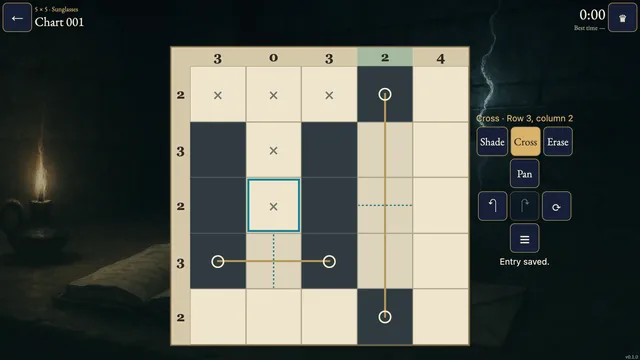
Draw a single ink loop across a parchment grid. Each number counts the turning dots at its four corners, including turns whose arms point away from the numbered square.
Choose from 2,132 original puzzles on 3×3, 4×4 and 5×5 grids. Combine overlapping corner counts with the need for one connected loop; every chart has one answer.
How to play
- Goal
- Draw one loop so every number counts the turns at its four corner dots.
- How it ends
- One closed, non-crossing loop must match every corner count.
- Record
- First unaided solve · fastest time.
- Choose Line and tap or drag along edges between neighbouring dots. The outer grid edges are playable too.
- Make one closed loop. It cannot branch, cross itself, touch itself at a dot or split into separate loops.
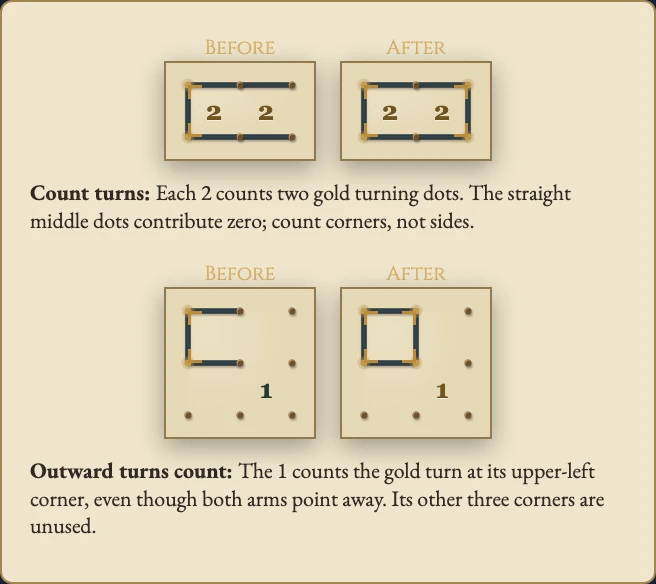
- A number counts how many of its four corner dots are turns. A turn has two perpendicular lines; straight and unused dots count zero.
- Count a corner turn even when both of its lines point away from the numbered square. Blank squares have no count to satisfy.
- Cross marks an edge you think is unused. Crosses are optional notes; Erase removes a mark. Undo and Redo restore whole strokes.
- Complete the loop and satisfy every corner count to solve the chart.
Controls
| Input | Action |
|---|---|
| Line / Cross / Erase, then tap or drag | Draw lines, add optional crosses or remove marks |
| Pan, then drag | Move a board larger than its frame |
| Arrows + Enter / Space | Move the edge cursor and apply the chosen tool |
| L / X / C / P | Choose Line / Cross / Erase / Pan |
| Delete / Backspace | Erase the focused edge |
| Z / Y / R | Undo / Redo / request Restart |
| Escape | Cancel, close or go back |
| D-pad + A / B | Move and apply / cancel or go back |
| Shoulders / X / Start | Undo and Redo / Erase / Settings |
Tips
- Count dots, not sides A straight line through a corner adds nothing. Look for perpendicular pairs at the four dots around each number.
- Share the corners A turn at an interior dot contributes to all four surrounding squares, even those its lines do not enter.
- Keep the loop open A small closed loop cannot later join other lines. Every used dot must eventually have exactly two connections.
Good to know
Progress saves in this browser. The first clock starts when you open a chart and continues through menus and Restart. Reloaded attempts and changed clocks stay local. Practice keeps your original finish. Music and Effects have separate switches. Shelves describe grid size, not difficulty.
Watch how to play
Questions
Does a turn count when it points away from the clue?
Yes. Every turn at one of the four corner dots counts, regardless of which two edges it uses.
Do I need to mark every unused edge?
No. Cross notes are optional; the drawn loop determines completion.
May the loop follow the outside of the grid?
Yes. The outer grid edges are playable positions.