About Borrowed Ink
Restore tiny prints by borrowing ink from one place and moving it to another. Study what the picture needs, then make it whole with a few careful changes.
How to play
- Goal
- Make the paper match the target print.
- How it ends
- A print is done when the paper matches the target and the stamp is empty. There is no way to lose.
- Record
- Nothing is timed; unaided restored prints enter each print’s Top 10 by fewest impressions, while your collection stays in this browser.
- Select two neighbouring cells on the paper.
- Press Make impression to exchange their ink with the stamp.
- Match the target picture and leave the stamp empty.
Controls
| Input | Action |
|---|---|
| Arrows | Move |
| Enter | Select a cell |
| Space | Make impression |
| R | Turn the stamp |
| Z | Undo |
| H | Hint |
Tips
- Count the ink first. The total never changes, so the target tells you exactly how much ink is on your paper at the start. If the paper looks short of the picture, the missing spots are in your stamp.
- The last press has to leave the stamp empty. Work out which two squares can take whatever you are carrying, and you have found your ending. Many prints are easier read from the last move backwards.
- Every impression undoes itself. Press the same pair again and you are exactly where you were. That also means you can solve from the other end: play legal presses starting at the finished picture, then reverse what you found.
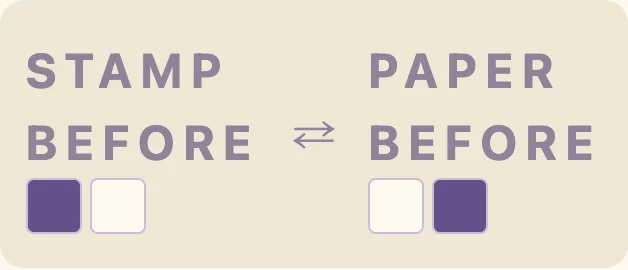
- Turning the stamp is free. It costs no impression and never changes what the stamp is carrying — it only decides which pairs you can select and which cell meets which. Orient first, press second.
- Read the line before you press. The status line tells you how much ink the stamp will be carrying afterwards, and the caption counts how many squares already match. Both are cheaper than an undo.
- Finish it, then beat it. A star is for matching the shortest known solution without a hint, and every print can be replayed. Solve it your way first; optimising is a second, quieter game.
Good to know
Undo, restart and hints are always free. Progress is saved in this browser.
Watch how to play
Questions
Do I have to play the prints in order?
No. All thirty are unlocked from the first moment, and the Collection screen lets you jump to any of them.
What does a hint actually do?
It searches for the shortest solution from wherever you now are, turns the stamp to the orientation that move needs, and highlights the pair in green. You still press it yourself. Hints are free and unlimited; the only cost is that finishing with one forfeits that attempt's star.
Is every print solvable?
Yes. Each has a solution that finishes with an empty stamp, and a shortest known length to aim for.
Is there a time limit?
None. No clock, no lives, no energy. The counter shows impressions used, not seconds.
Where is my progress kept?
In this browser, including an unfinished print and its Undo history. Clearing browser data clears local progress. Ranked results are public.
What earns a star?
Finishing a print in the shortest known number of impressions without using a hint. A star you have already earned is never taken away.
Does turning the stamp change the ink in it?
No. Turn only flips the stamp between horizontal and vertical. What it is carrying stays exactly as it was.
Can I undo a mistake?
Always, as far back as you like, and restart puts the print back to how it began. Neither costs anything.