How to play
- Goal
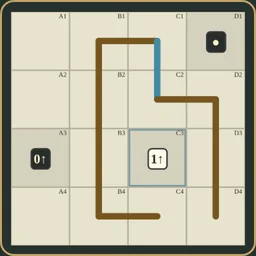
- Draw one non-crossing loop through empty cells, keeping white clues inside and black clues outside while matching every arrow’s total line length.
- How it ends
- A chart finishes when the single closed loop and every clue agree; unused empty cells are allowed and there is no loss state.
- Record
- The fastest uninterrupted first solve of each chart is kept with its holder’s name; replays are Practice.
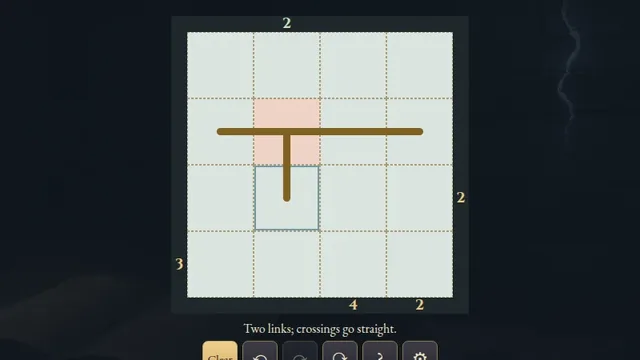
- Draw one non-crossing closed loop through the centres of empty cells. Each used cell has two links; empty cells may be left unused. Clue cells are blocked.
- Keep every white clue inside the loop and every black clue outside. Grey clues are blocked but have no inside or outside rule.
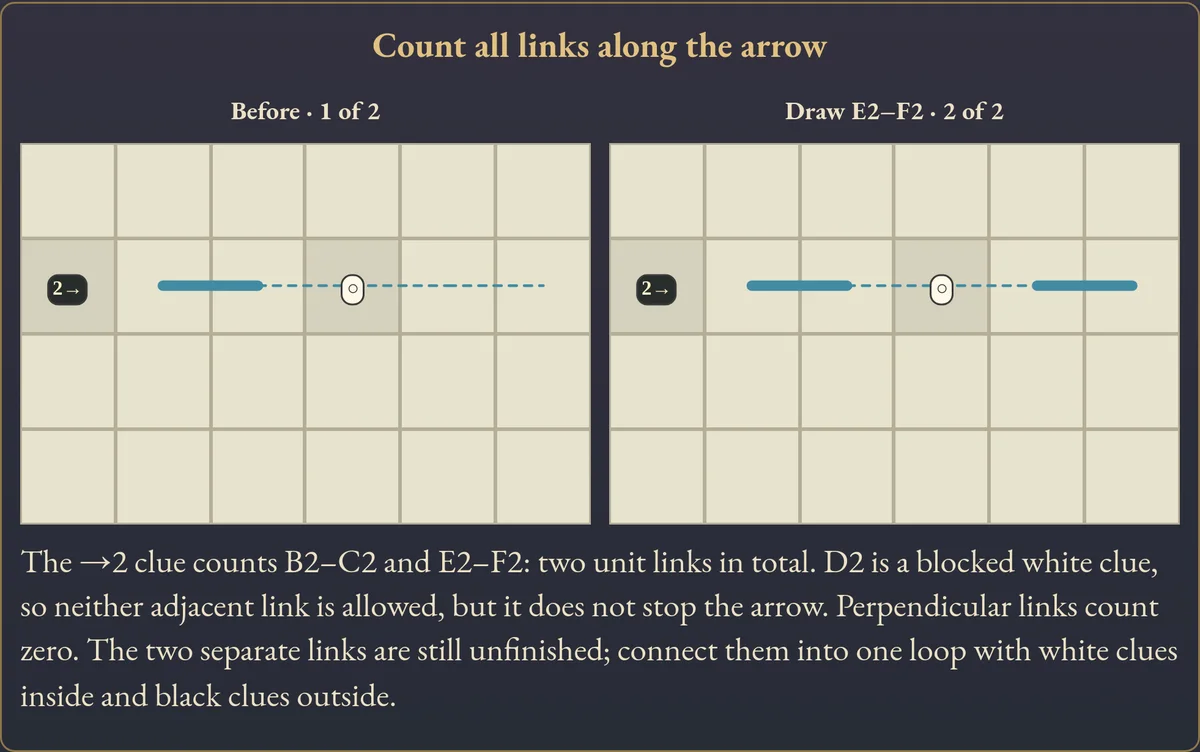
- An arrow’s number is the total length of collinear unit links ahead through the grid edge. Count every separated section, including sections beyond other clues. Perpendicular links count zero.
- Tap a clue to inspect its ray and current total. A zero arrow forbids parallel links on that ray. Colour-only clues have no number to match.
Controls
| Mouse / touch | Tap two neighbouring empty cells to toggle their link; drag consecutive empty cells to draw one undoable stroke |
|---|---|
| Arrows + Enter / Space | Move cell focus and select neighbouring cells |
| Delete / Clear | Remove links touching the selected empty cell |
| Z / Y / R | Undo / Redo / open Restart confirmation |
| Whole chart / Show rows or columns | Read-only overview / pan a clipped chart |
| Escape | Close a dialog, cancel a stroke, clear selection or return to the atlas |
| Controller | D-pad move; A select; X clear; shoulders Undo/Redo; B cancel or back; Start settings |
Tips for Castle Wall
- Count unit links A straight run between three cell centres has length two. Add every parallel section along the whole ray.
- Follow the colours White clues must be enclosed; black clues stay outside. Clues cannot be part of the loop.
- Keep one loop Closing a small cycle too early can leave a white clue outside. Undo and extend it; unused empty cells are allowed.
Questions about this game
Must the loop use every empty cell?
No. Only cells used by the loop need exactly two links. Other empty cells may remain unused.
Does another clue stop an arrow?
No. The ray extends to the grid edge. Clue cells remain blocked, but parallel links beyond them still count.
When do clues turn red?
An arrow turns red when its current total exceeds its number. Inside and outside are checked once the links form one simple closed loop; incomplete paths remain neutral.
Are shelves difficulty levels?
The shelves describe chart size: eight 4×4, sixteen 5×4, twenty-four 5×5 and forty-eight 6×5 charts. No difficulty ranking is promised.
Does Restart reset the clock?
No. It clears links and keeps the original first-solve clock. Undo restores the cleared links.
Where is Practice?
Choose Practice after a finish, or open a completed chart from the atlas. Practice is untimed and preserves your first finish. Reloaded unfinished attempts stay local while links and Undo are retained.
Charts and the worked example are original. Links and Undo save in this browser. The first clock starts when a chart is selected. Reloaded attempts and detected clock or browser-suspension discontinuities stay local. Unsafe or unavailable storage is reported in-game. This is an independent implementation of the classic Castle Wall puzzle rules.
Watch how to play
About Castle Wall
D
r
a
w
o
n
e
c
l
o
s
e
d
l
o
o
p
a
r
o
u
n
d
w
h
i
t
e
c
l
u
e
s
a
n
d
o
u
t
s
i
d
e
b
l
a
c
k
c
l
u
e
s
.
D
i
r
e
c
t
i
o
n
a
l
n
u
m
b
e
r
s
c
o
u
n
t
a
l
l
c
o
l
l
i
n
e
a
r
u
n
i
t
l
i
n
k
s
a
h
e
a
d
,
a
c
r
o
s
s
9
6
o
r
i
g
i
n
a
l
c
h
a
r
t
s
w
i
t
h
c
e
r
t
i
f
i
e
d
u
n
i
q
u
e
e
n
d
i
n
g
s
.