About Araf
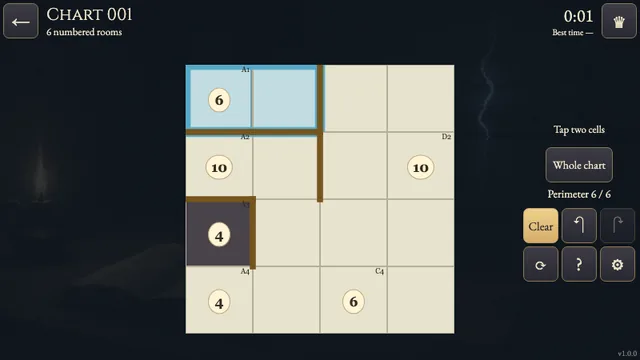
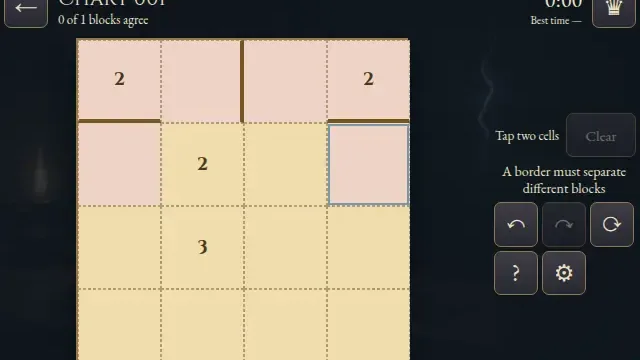
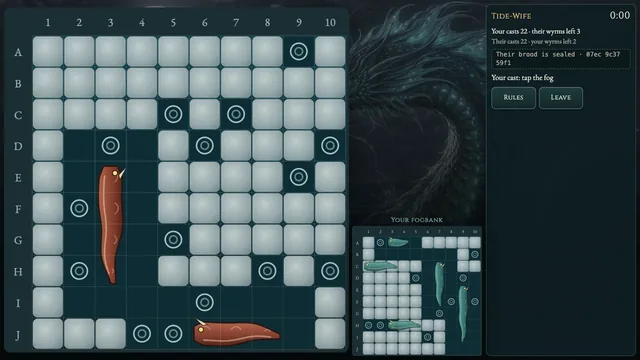
Draw boundaries to divide the grid into connected rooms. Each room holds exactly two clues, with an area strictly between their values. Explore 96 original, unique charts across four always-open shelves.
How to play
- Goal
- Divide every cell into connected regions, each with exactly two clues and an area strictly between their values.
- How it ends
- A chart is complete when every region satisfies the rules. Boundaries are editable until completion; Replay starts Practice. There is no loss.
- Record
- Your first unassisted solve of each chart keeps its time; replays are Practice.
- Every cell belongs to one region connected through side neighbours. Draw walls on interior borders to separate regions.
- Each region contains exactly two circled clues. Its area, counted in cells, must be strictly larger than the smaller clue and strictly smaller than the larger clue.
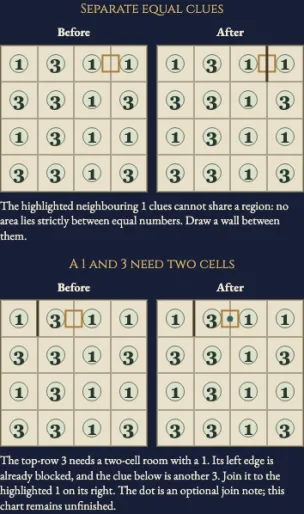
- A 1 and 3 need exactly two cells. Equal clues cannot pair because no area lies strictly between equal numbers.
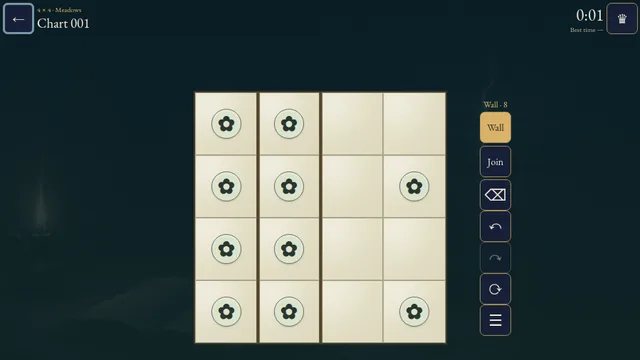
- Tap a border in Wall mode to toggle a wall. Join mode adds an optional dot marking an open border; join notes are not required to finish.
Controls
| Input | Action |
|---|---|
| Mouse / touch | Tap an interior border to toggle the selected wall or join note |
| Arrows + Enter / Space | Move boundary focus and apply the selected mode |
| X / Delete / Backspace | Join note / erase focused boundary |
| Z / Y / R | Undo / Redo / Restart confirmation |
| Escape | Close a dialog or return to the atlas |
| Gamepad | D-pad move; A wall; X join; LB/Y Undo; RB Redo; B back; Start menu |
Tips
- Separate equal clues Two equal clues can never share a room. A wall must separate neighbouring equal clues.
- Count the available cells A 2 and 4 need a three-cell room. Include both clue cells when counting.
- Keep every room connected Room cells connect through sides; touching only at a corner does not connect them.
Good to know
All charts and worked diagrams are original. Progress and Undo save in this browser. After a reload, clock jump or browser suspension, the first finish saves locally and cannot rank. If the game cannot save safely, it tells you. This is an independent implementation of the classic Araf rules.
Watch how to play
Questions
Does the area include both clue cells?
Yes. Count every cell in the room, including both circled clues.
Can a room have three clues?
No. Every room contains exactly two clues.
Must I mark every open border?
No. Join dots are optional reasoning notes.
Does Restart reset the clock?
No. It clears editable boundaries and retains the original clock. Undo can restore the cleared entries.
What happens when I replay?
Replay is untimed Practice and preserves your first finish time. Reloaded unfinished attempts remain local while progress and Undo are retained.