About Triplets
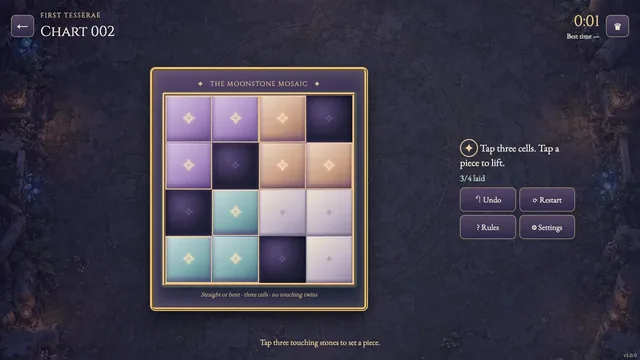
In an Orenvalt scriptorium, moon circles, ward squares and flame triangles are pressed into brass-bordered mosaics. Each room has three cells and must hold either three matching seals or one of each. Seals touching across a room wall must differ.
Work through 180 original charts: sixty each at 3×6, 4×6 and 6×6. Each chart has one solution. The opening shelf teaches room patterns; later shelves ask you to combine distant walls and sparse clues.
The clock begins as soon as you open a chart. Your first solve time stays in this browser; an uninterrupted first solve can set the verified best shown on each chart card and beside the clock.
How to play
- Goal
- Fill every cell with a circle, square or triangle so each three-cell room is all alike or all different, and touching cells across a room wall differ.
- How it ends
- A chart is complete when all rooms and shared walls satisfy those rules; there is no loss.
- Record
- Your first solve time is kept per chart, and the fastest verified first solve appears with its holder.
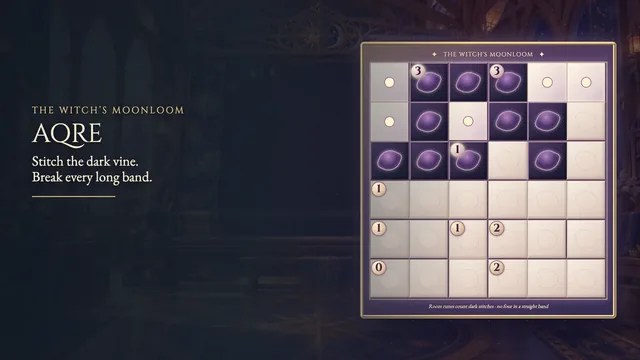
- Fill every cell with a moon circle, ward square or flame triangle. Each brass-bordered room contains exactly three cells and must be all alike or all different. Orthogonally touching cells in different rooms must carry different seals; diagonals do not count. Small starred seals are fixed clues.
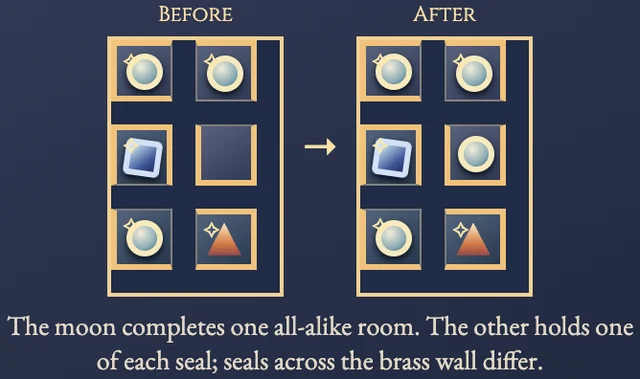
- Choose a seal, then tap an empty cell to place it. Repeated taps cycle through all three seals and empty. A drag paints the chosen seal across cells. Clear and right-click erase directly. The worked example shows a moon circle finishing an all-alike room beside an all-different one.
- Undo reverses one stroke. Restart clears your seals but keeps the clock running. A chart completes automatically when every room and shared wall agrees. There is no loss.
Controls
| Input | Action |
|---|---|
| Tap / click a cell | Place the selected seal, then cycle through all three seals and empty |
| Drag across cells | Paint the selected seal; Undo reverses the whole stroke |
| Right click / Clear | Erase a cell |
| Arrow keys | Move among cells |
| 1 / 2 / 3 / 0 | Select Moon / Ward / Flame / Clear |
| Space / Enter | Use the selected brush |
| Backspace / Delete | Clear the selected cell |
| Z | Undo the last stroke |
| Escape | Close a panel or return to the chart atlas |
Good to know
First-solve times exclude resumed attempts. Progress and reduced motion save; sound follows the shared site setting.