About Selvedge Cut
Cut a piece of cloth into patches. The number on each motif tells you how many squares its finished patch must contain.
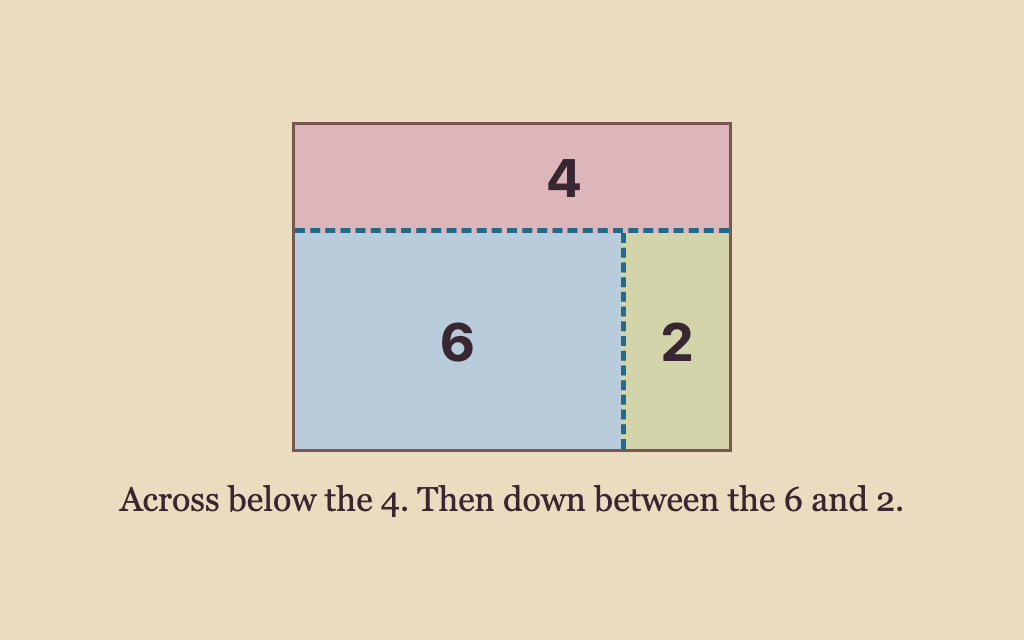
Each straight cut divides one piece. The next cut on either new piece must turn ninety degrees. Keep cutting until each patch contains one motif and fits its number.
How to play
- Goal
- Cut the cloth into patches that each have one motif and the exact area printed on it.
- How it ends
- Every cut spans one piece, and each new piece takes its next cut at a right angle until the pattern is complete.
- Record
- Each pattern ranks your first clear time.
- Select a piece and use the minus or plus button to shift the dashed chalk line.
- Use Across or Down to turn the first cut. The arrow on each new piece shows its next cutting direction.
- Press Cut. A patch stitches shut when it contains one motif and exactly its marked area.
Controls
| Input | Action |
|---|---|
| Tap or click | Select a piece, adjust the chalk line and press Cut. |
| Keyboard | Tab to a piece or tool, then press Enter or Space. |
Tips
- Count each side Before cutting, add the motif sizes on each side and compare them with the squares on that side.
- Plan the next cut Check whether the child piece can split the way it needs to after the direction turns.
Good to know
The first-clear clock starts when the cloth appears and keeps running through menus and reloads.