How to play
- Goal
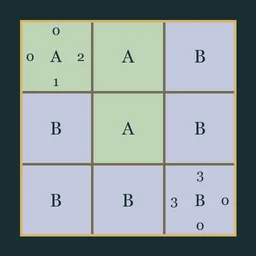
- Divide every cell into connected regions with one compass each, matching its directional counts.
- How it ends
- A chart finishes when every cell belongs to a region and every printed count matches; entries can always be undone.
- Record
- The fastest first unaided solve of each chart is recorded.
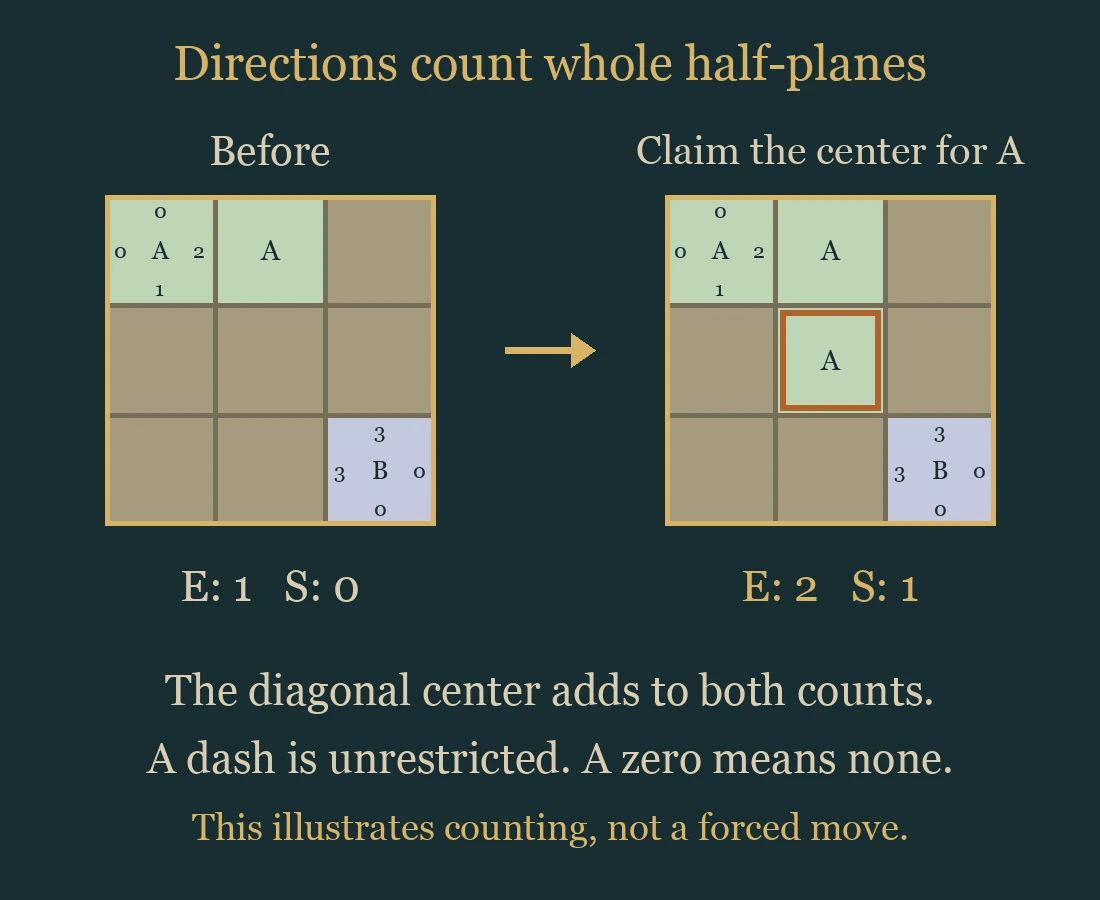
- Select a compass to choose its region, then tap or drag to claim cells. Letters identify regions as well as colors.
- Each region must connect along cell sides and contain exactly one compass. Every cell must belong to a region. Regions may have irregular shapes; a single compass cell can form a region.
- North counts every region cell above the compass, not just cells in the same column. East, South and West work the same way. A diagonal cell can contribute to two counts; the compass itself contributes to none.
- A dash leaves that direction unrestricted. A printed zero means no region cells in that direction.
- Applying the same region again clears a cell. Clear removes editable ownership; Undo and Redo reverse one action. Compass cells keep their owners. Restart keeps the first clock running; replay after completion is Practice.
Controls
| Tap compass / ‹ and › | Choose the region to paint |
|---|---|
| Tap / drag | Apply the chosen region or Clear; a stroke is one Undo action |
| Arrows + Enter / Space | Move and apply the selected tool |
| [ / ] | Select the previous or next compass |
| 1–9 / 0 | Select compass A–J when present |
| Clear / Delete / Backspace | Clear the selected editable cell |
| Z / Y / R | Undo / Redo / open Restart confirmation |
| Pan / P | Move a large chart without changing ownership |
| Whole chart | Open a read-only overview from the chart menu |
| Escape | Cancel a drag, close a dialog or return to the atlas |
| Controller | D-pad move; A apply; X clear; Y Undo; shoulders select compass; B back; Start menu |
Tips for Compass
- Start with zeroes A zero rules out every cell in that entire direction, including diagonal cells.
- Count the available cells If a direction needs every remaining eligible cell, claim them all for that compass.
- Keep a path A region cannot jump across another region to reach a detached cell.
Questions about this game
Do the numbers count only along straight lines?
No. They count the whole half-plane north, east, south or west of the compass. A diagonal cell may count in two directions.
Does a dash mean zero?
No. A dash is unrestricted; zero explicitly forbids cells in that direction.
Can a region contain two compasses?
No. Each region contains exactly one compass.
Can a region be a single cell?
Yes, when its compass counts allow it.
Must every cell have an owner?
Yes. Undecided cells must be assigned before the chart finishes.
Does Restart reset the clock?
No. The first clock keeps running. Practice preserves the first finish.
Region ownership and Undo save in this browser. The first clock starts when a chart is selected and never pauses. Reloaded attempts stay local; Practice preserves the first finish.
Watch how to play
About Compass
Divide the map into side-connected regions with one compass each. Match the whole-direction counts: a diagonal cell can contribute to two numbers.
All 96 charts and worked diagrams are original. Four open shelves offer 24 charts each at 4×4, 5×5, 6×6 and 7×7.