How to play
- Goal
- Divide every cell into square plots containing exactly one seed each.
- How it ends
- The chart finishes when all plots satisfy those rules; there is no loss state.
- Record
- Each chart keeps your first solve time, and an uninterrupted first solve can claim the named fastest time.
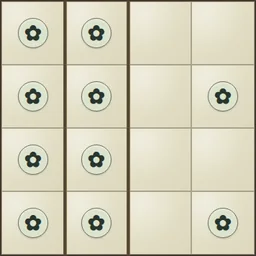
- Cover every cell with square plots. Each plot must contain exactly one circled seed.
- A one-cell square is allowed. The seed can be anywhere inside its square; it does not need to be centred.
- Tap an interior border in Wall mode to toggle a fence. Join mode adds optional dots that record open borders.
- Larger gardens keep full-size targets: drag to pan, use the direction button, or open Whole garden from the menu to see your current marks.
Controls
| Mouse / touch | Tap a border to toggle a mark; drag larger gardens to pan |
|---|---|
| Arrows + Enter / Space | Move boundary focus and apply the selected mode |
| X / Delete / Backspace | Join note / erase focused boundary |
| Z / Y / N | Undo / Redo / Restart confirmation |
| Escape | Close a dialog or return to the atlas |
| Controller | D-pad move; A selected mark; X join; LB/Y Undo; RB Redo; B back; Start menu |
Tips for Meadows
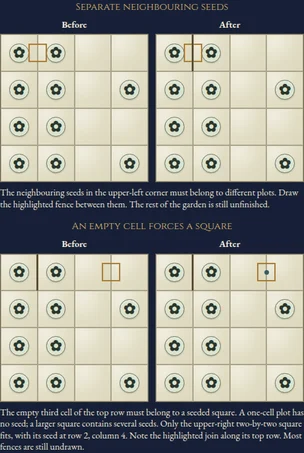
- Separate neighbouring seeds Two seeds cannot share a plot. Fence the border between neighbouring seeds.
- Look for a seeded square An empty cell must join a square containing a seed. Reject squares that contain no seed or several seeds.
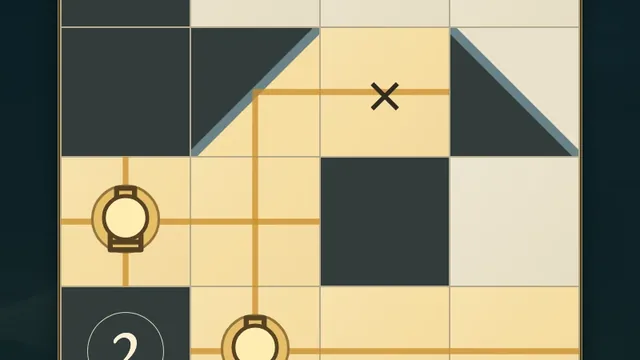
- Use the whole view The read-only Whole garden view shows every seed and your current fences and join notes. Close it to continue editing.
Questions about this game
Must a seed be in the centre?
No. It can occupy any cell of its square.
Can a plot be a rectangle?
Only if its width equals its height: every plot is square.
Must I mark every open border?
No. Join dots are optional notes.
Are the shelves difficulty levels?
Their names do not promise a difficulty ranking. The shelves hold six 4×4, eighteen 5×5, twenty-four 6×6 and forty-eight 7×7 charts.
Does Restart reset the clock?
No. It clears marks and keeps the original clock. Undo restores the cleared marks.
What happens when I replay?
Replay is untimed Practice and preserves your first finish. Reloaded unfinished attempts remain local while progress and Undo are retained.
All charts and worked diagrams are original. Progress and Undo save in this browser. The first clock begins when you select a chart. Reloaded attempts and detected clock or browser-suspension discontinuities stay local. Unsafe or unavailable storage is reported in-game. This is an independent implementation of the classic Meadows puzzle rules.
Watch how to play
About Meadows
F
e
n
c
e
a
g
a
r
d
e
n
i
n
t
o
s
q
u
a
r
e
p
l
o
t
s
,
w
i
t
h
e
x
a
c
t
l
y
o
n
e
s
e
e
d
i
n
e
a
c
h
.
E
x
p
l
o
r
e
9
6
o
r
i
g
i
n
a
l
,
u
n
i
q
u
e
l
y
s
o
l
v
e
d
c
h
a
r
t
s
,
f
r
o
m
f
o
u
r
-
b
y
-
f
o
u
r
g
a
r
d
e
n
s
t
o
l
a
r
g
e
r
s
e
v
e
n
-
b
y
-
s
e
v
e
n
l
a
y
o
u
t
s
,
a
c
r
o
s
s
f
o
u
r
a
l
w
a
y
s
-
o
p
e
n
s
h
e
l
v
e
s
.