About Parcel Switch
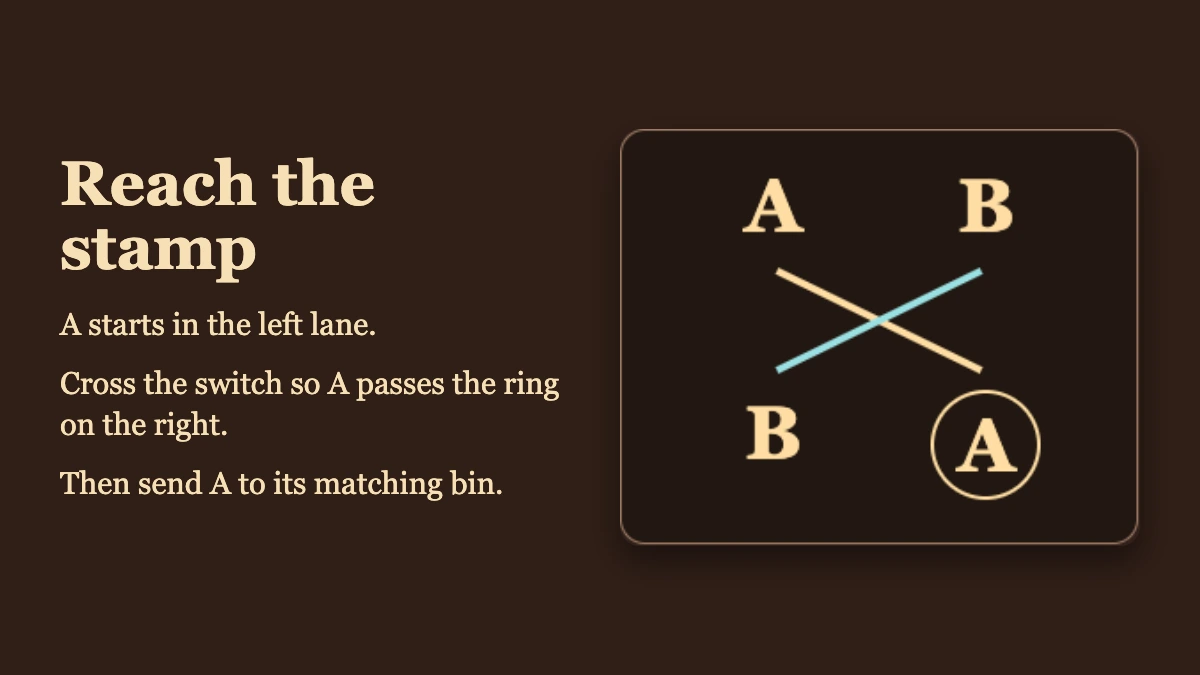
Each switch sends two parcels straight ahead or crosses their lanes. The parcels start at lettered slots and must end in matching bins. Some letters also appear in rings along the route.
A parcel can reach its bin and still miss its checkpoint. Follow one route at a time through eight dispatches, from a single switch to a sorter with six stages.
How to play
- Goal
- Send every parcel to its matching bin through any checkpoint marked with its letter.
- How it ends
- The board is complete when every delivery meets both conditions, and an incorrect setup can always be changed.
- Record
- Your first clear time is kept for each board.
- Tap a switch to send both parcels straight or exchange their lanes. Tap a parcel to highlight its route. A dashed ring shows a required checkpoint. Follow the line to see where the current setup sends that parcel.
- Use Undo to restore the previous setting. The sorter shows how many bins and stamps are still unmatched. The dispatch clears when every parcel reaches its bin through its required checkpoint.
Controls
| Input | Action |
|---|---|
| Mouse or touch | Tap a switch to cross or straighten its lanes. Tap a parcel to highlight its route. |
| Keyboard | Tab to move focus, Enter or Space to activate, Escape to go back and Ctrl+Z or Command+Z to undo. |
| Gamepad | Use the directional pad to move, A to activate, B to go back, Start for a break and the left bumper to undo. |
Tips
- Work from a checkpoint Match the switches before a dashed ring first. Switches after the ring can change the bin without changing the checkpoint.
- Check both ends A filled ring shows the checkpoint is satisfied. The parcel may still reach a different bin.
Good to know
The first-clear clock starts when a dispatch opens and keeps running through breaks, reloads and restarts. Later clears are practice.