About Shutter Sweep
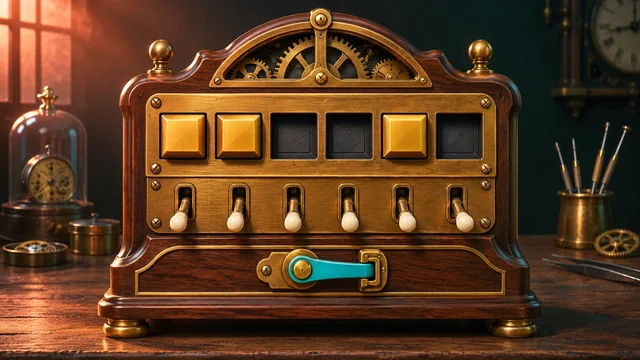
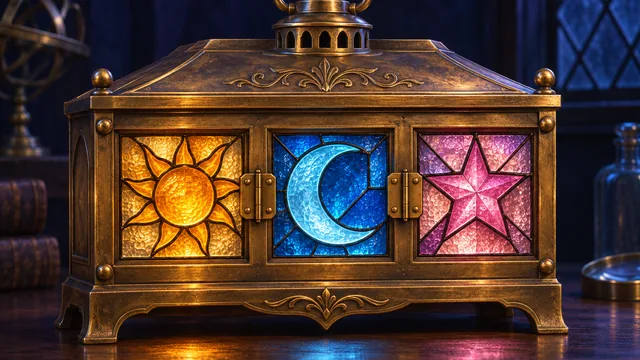
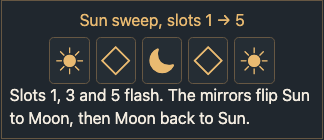
A workshop scanner has two settings, Sun and Moon. It moves along a numbered strip and counts the plates that match its setting. Every mirror flips the setting for the slots that follow.
Use the supplied plates to match scans from both directions. Later strips overlap several sweeps, and a second mirror can send the scanner back to its starting setting.
How to play
- Goal
- Fill the empty slots with the supplied plates and match every sweep's flash count.
- How it ends
- A strip clears when every plate is placed and every count agrees.
- Record
- The game keeps the fastest verified first clear for each strip.
- Select an empty slot and choose a plate from the supply.
- Each sweep starts at its first numbered slot on Sun or Moon. A matching plate adds one flash. A mirror flips the setting and adds none.
- Select a sweep to highlight its span and see where the scanner flashes, flips or reaches an empty slot.
- Compare the current and target counts. Use Check strip when every slot is filled.
Controls
| Input | Action |
|---|---|
| Mouse or touch | Select a slot, then a plate. Select a sweep to inspect it. |
| Keyboard | Use Tab and Enter or Space. In the strip, use Left and Right to inspect any slot. |
| Gamepad | Use the D-pad to move focus, A to select and B to close a dialog. |
Tips
- Compare directions A mirror can flip the setting before a plate in one direction and after it in the other.