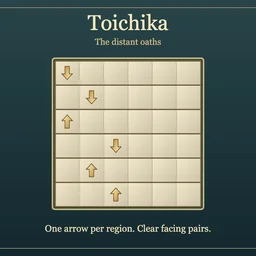
How to play
- Goal
- Place exactly one arrow in each region, pairing all arrows along clear rows or columns between regions that share no edge.
- How it ends
- A chart finishes when every region has its arrow and every arrow belongs to a valid facing pair; Undo and optional empty notes allow corrections.
- Record
- Your first unassisted finish keeps your time for that chart; later plays are practice.
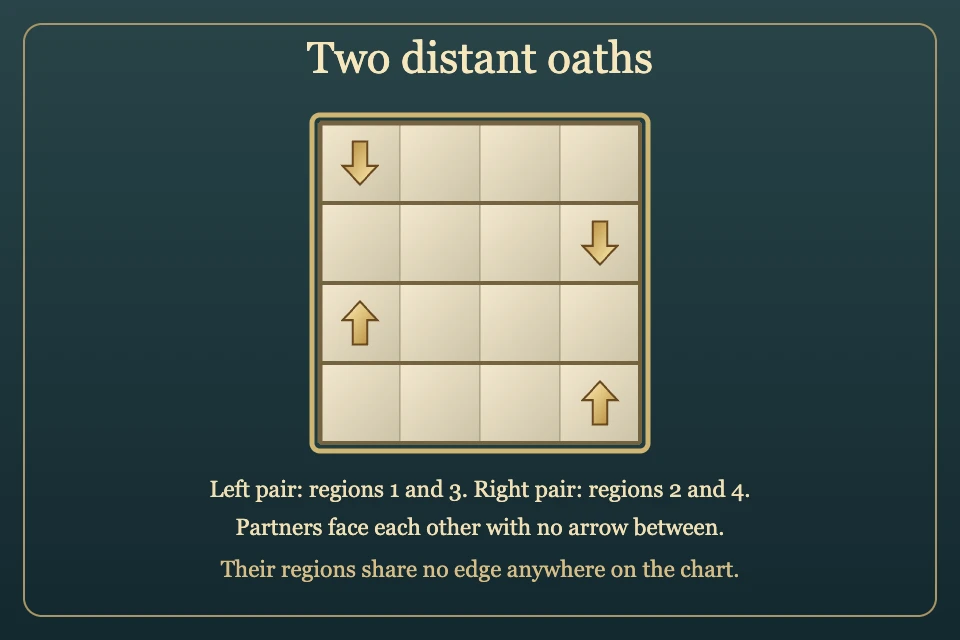
- Place exactly one Up, Right, Down or Left arrow in every outlined region, including any printed fixed arrow. The remaining cells stay empty.
- Every arrow must face a partner in its row or column. The partner is the first arrow encountered along its pointing direction: no other arrow may lie between them.
- Paired regions must share no orthogonal edge anywhere on the chart, even if the arrow cells are far apart. Regions touching only at a corner are allowed.
- Clear sightlines may cross and pass through other regions. Different, unpaired arrows have no general separation requirement.
- Choose Up, Right, Down, Left, Empty or Erase, then tap cells or paint a stroke. Inspect region highlights the selected region and its forbidden neighbours without changing the brush or cursor. Printed arrows cannot be changed; empty notes are optional.
- Release commits a stroke as one Undo step. Escape, resize, pointer loss or a second finger cancels an unfinished stroke. Restart keeps the original clock; reload retains marks and Undo, and a resumed finish stays local.
Controls
| Mouse / touch | Choose a brush and tap or paint cells; Inspect region highlights the selected region and its neighbours |
|---|---|
| Arrows + Enter / Space | Move the cursor and apply the brush |
| 1 / 2 / 3 / 4 / 5 / 6 | Choose Up / Right / Down / Left / Empty / Erase |
| Delete / Backspace | Erase the selected cell |
| Z / Y | Undo / Redo |
| R / Restart | Confirm clearing marks while keeping the first clock running |
| Escape | Cancel a stroke, close a dialog or return to the atlas |
| Controller | D-pad moves; A marks; X changes brush; Y erases; shoulders Undo/Redo; B cancels/back; Start settings; Back rules |
Tips for Toichika
- Check the whole border A distant arrow is still forbidden as a partner if the two regions share an edge anywhere.
- Start with fixed arrows and small regions A printed arrow narrows the cells and directions its partner can occupy.
- Follow the first arrow An intervening arrow blocks a farther partner, even if that farther arrow faces the right way.
- Inspect and correct Inspect region shows forbidden neighbours; Empty notes and Undo help keep deductions reversible.
Questions about this game
Do only neighbouring arrow cells matter?
No. Check whether the entire paired regions share any orthogonal border.
Can sightlines cross?
Yes, at an empty cell. They may also pass through other regions, provided no arrow blocks a pair.
Does every cell need a mark?
No. Every region has one arrow; all other cells are empty. Empty notes are optional.
Can I change a printed arrow?
No. Printed arrows are fixed and already count toward their region’s one arrow.
Can replay improve my first time?
No. The first saved finish stays unchanged; replay is practice.
All charts are open. Reload retains an unfinished first attempt, Undo and its original clock; resumed finishes stay local. Practice reopens fresh and preserves your first time.
Watch how to play
About Toichika
Place paired brass arrows in the distant oath charts. Every region needs one arrow, and every arrow needs a facing partner across a clear row or column.
All 160 original charts are open across four shelves: twenty 4×4, eighty 5×5 and sixty 6×6. Each has one answer and a complete bounded deduction proof. The first chart introduces the rules through direct deductions.
Your first finish keeps its time for that chart. An uninterrupted verified first solve can claim the named fastest time; later plays are untimed practice.