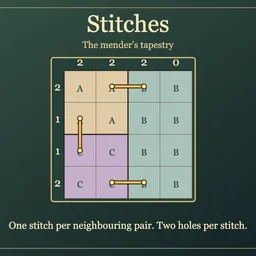
How to play
- Goal
- Sew each pair of side-neighbouring regions together exactly once, matching every row and column’s hole count.
- How it ends
- A chart finishes when all seams have one stitch, no hole is shared, and every line count is correct; Undo and Erase allow corrections.
- Record
- Your first unassisted finish keeps its time for this chart; later plays are practice.
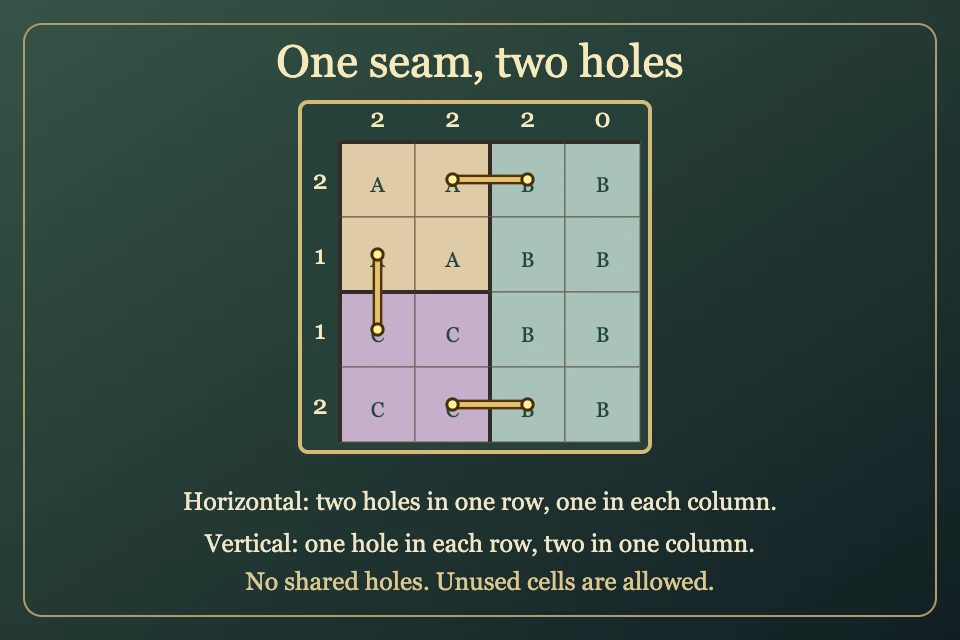
- Sew exactly one stitch between each pair of regions sharing a cell side. Multiple separated borders between the same pair still need just one stitch.
- A stitch connects the centres of two side-adjacent cells in different regions. Every cell can hold at most one hole.
- The numbers beside the grid count holes in that row or column. A horizontal stitch makes two holes in its row; a vertical stitch makes two in its column.
- Regions meeting only at a corner do not need a connection. Cells may remain unused; undecided borders do not prevent completion.
- Choose Stitch, Cross or Erase, then tap both cells of a border. Crosses are optional notes and never count as holes. Inspect region lists the neighbours of the focused cell.
- A completed pair is one Undo. Tap the first cell again or press Escape to cancel a pending endpoint. Restart keeps the original clock; reload retains marks and Undo, and resumed finishes stay local.
Controls
| Mouse / touch | Choose Stitch, Cross or Erase; tap the two neighbouring cells across a region border |
|---|---|
| Arrows + Enter / Space | Move focus; select first or second endpoint |
| 1 / 2 / 0 | Select Stitch / Cross / Erase |
| Delete / Backspace | Erase the last edited border |
| Z / Y | Undo / Redo |
| R / Restart | Confirm clearing marks; the first clock keeps running |
| Escape | Cancel an endpoint, close a dialog or return to the atlas |
| Controller | D-pad moves; A selects; X cycles tools; Y clears last border; shoulders Undo/Redo; B cancels/back; Start settings; Back rules |
Tips for Stitches
- Look for a single border A neighbouring pair with only one possible cell border must use it.
- Count both ends A stitch always creates two holes. Check which row and column each end lies in.
- Reserve occupied holes Once a cell is pierced, every other stitch touching that cell is unavailable.
- Inspect neighbouring pairs Inspect region lists which side-neighbouring pairs already have their one seam.
Questions about this game
Do I stitch every touching cell border?
No. Each unordered pair of neighbouring regions gets exactly one stitch, even if they share several border stretches.
Do diagonal neighbours count?
No. Only regions sharing a cell side require a stitch.
Must every cell be used?
No. Unused cells are allowed when every seam and line clue is satisfied.
Do crosses count as holes?
No. Crosses are optional notes excluding a possible border.
Can two stitches share a cell?
No. Each cell can hold at most one hole.
Can replay improve my first time?
No. Your first saved finish remains unchanged; replay is practice.
All charts are open. Reload retains marks, Undo and the original first clock; resumed finishes stay local. Practice reopens fresh and preserves your first time.
Watch how to play
About Stitches
Mend a tapestry of coloured cloth regions in a quiet weaver’s workshop. Gold thread joins neighbouring patches, while ivory clues count its holes.
All 160 original charts are open: forty 4×4, sixty 5×5 and sixty 6×6. Each has one independently proved ending and a complete bounded deduction.
Your first finish keeps its time. An uninterrupted verified first solve can claim the named fastest time; replay is practice.