How to play
- Goal
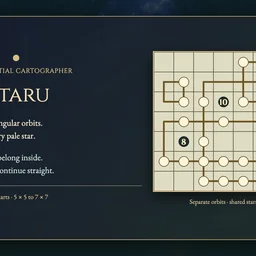
- Draw rectangular loops through every pale star; enclose each dark star once and match its number to the pale stars on that loop.
- How it ends
- The chart finishes when all star clues and crossings fit; Undo and Erase allow corrections.
- Record
- Your first unassisted finish keeps your time for that chart; later plays are practice.
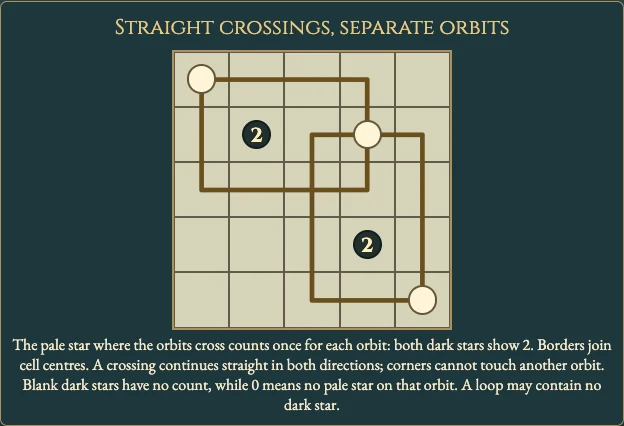
- Choose Draw, then tap two opposite corner cells or drag between them. Borders join cell centres; every orbit has positive width and height, and a square is a rectangle.
- Every pale star lies on at least one orbit perimeter. A pale star at a crossing counts once for each orbit visiting it.
- Every dark star lies strictly inside exactly one orbit and never on any perimeter. Each orbit contains at most one dark star; an orbit may contain none.
- A printed number counts distinct pale stars on that orbit. A printed 0 means none; a blank dark star has no count restriction.
- Orbits may overlap inside. Their borders may share a cell only as one straight horizontal and one straight vertical path. Corners cannot touch another orbit, and shared segments are invalid. Crossings do not merge loops.
- Choose Erase and tap a corner or other unambiguous perimeter cell to remove a whole orbit. A crossing alone cannot choose which orbit to erase. Undo and Redo allow corrections. Restart preserves the original clock; reload keeps exact progress and Undo, and that resumed finish stays local.
Controls
| Mouse / touch | Tap two opposite corners or drag and release to commit an orbit |
|---|---|
| Arrows + Enter / Space | Move the cursor and choose or confirm a corner |
| 1 / 2 | Choose Draw / Erase |
| Delete / Backspace | Erase the orbit at an unambiguous perimeter cell |
| Z / Y | Undo / Redo |
| R / Restart | Confirm clearing orbits while keeping the first clock running |
| Escape | Cancel a draft, close a dialog or return to the atlas |
| Controller | D-pad moves; A chooses/confirms; X swaps Draw/Erase; Y cancels a draft; shoulders Undo/Redo; B cancels/back; Start settings; Back rules |
Tips for Obitaru
- Read zero carefully An orbit enclosing 0 cannot pass through any pale star.
- Keep crossings straight One orbit continues horizontally and the other vertically; a corner contact is invalid.
- Use a corner to erase At a shared crossing the game cannot tell which orbit you mean.
Questions about this game
Does a square count?
Yes. Every loop is rectangular, with positive spans between its corner cells.
Must every orbit have a dark star?
No. An orbit may contain no dark star, but cannot contain two. Every dark star must belong inside exactly one orbit.
Does a crossed pale star count twice?
It counts once for each orbit visiting it. Its two visits contribute to the separate perimeter counts.
Can dark stars lie on an orbit?
No. They must be strictly inside their own loop and never on any perimeter.
What is the difference between 0 and a blank star?
0 means no pale star on that perimeter. A blank dark star imposes no perimeter count.
Can replay improve my first time?
No. The first saved finish stays unchanged; replay is practice.
All charts are open. Reload retains an unfinished first attempt, Undo and its original clock; resumed finishes stay local. Practice reopens fresh and preserves your first time.
Watch how to play
About Obitaru
Draw rectangular orbits through pale stars while enclosing each dark star exactly once. Numbered dark stars count the pale stars on their own orbit.
All 160 original charts are open: one 5×5, thirty-nine 6×6 and 120 7×7 charts across four shelves. Each has one answer and a complete visible-constraint deduction proof.
Your first finish keeps its time for that chart. An uninterrupted verified first solve can claim the named fastest time; later plays are untimed practice.