About Kuroclone
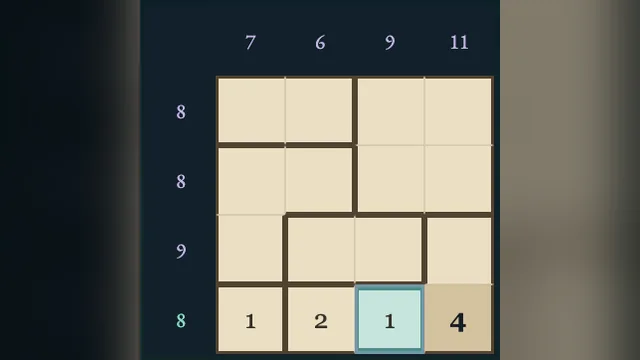
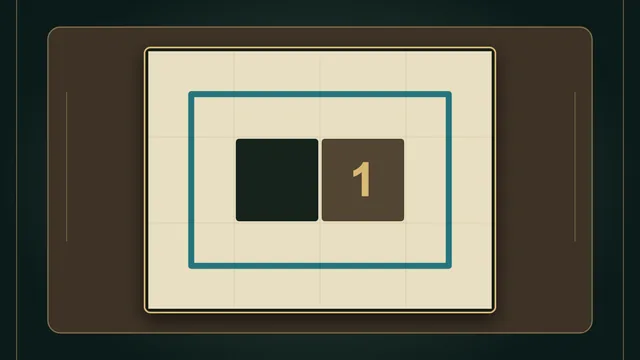
Shade two matching shapes in every outlined room. Numbered arrows reveal the size of the shape beside them, while thick borders keep neighbouring ink apart.
Explore 96 original charts, with 24 each at four by four through seven by seven. All four sizes are open from the start. Turn or reflect a shape to recognise its twin.
How to play
- Goal
- Shade exactly two matching connected shapes in each room, satisfying every numbered arrow.
- How it ends
- Finish when every editable cell is decided and all room, arrow and border rules hold; mistakes can always be undone.
- Record
- Your fastest first unaided solve is kept for each chart; the clock starts when it opens and never pauses.
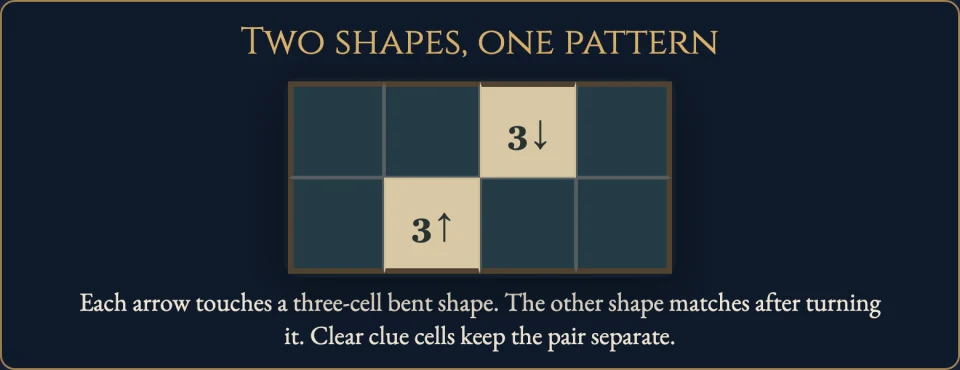
- Each room needs exactly two separate shaded shapes. Cells in a shape connect along horizontal or vertical edges. The pair must match in size and shape; turns and reflections are allowed.
- A numbered arrow stays clear and points to the immediately adjacent shaded cell. Its number counts that entire connected shape. The arrow may point into a neighbouring room.
- Shaded cells cannot share an edge across a thick room border. Diagonal contact is allowed, within and between rooms.
- Choose Ink or Clear, then tap or drag cells to paint that mark. Choosing a tool never changes the board. Mark every other editable cell Clear to finish.
- Undo and Redo reverse a whole stroke. Erase removes the selected editable mark. Pan moves a large chart; Whole chart provides a read-only overview.
- Restart clears editable decisions while the first clock keeps running. Your first finish is preserved; later replays are Practice.
Controls
| Input | Action |
|---|---|
| Ink / Clear, then tap or drag | Paint cells with the chosen mark |
| Arrows / S / X | Move focus / set Ink / set Clear |
| Space / Enter | Cycle the focused editable cell |
| Delete / Backspace / Erase | Remove the selected editable mark |
| Z / Y / R | Undo / Redo / open Restart confirmation |
| Pan / P | Move the chart without painting |
| Escape | Close a dialog or return to the atlas |
| Gamepad D-pad / A / LB / RB | Move focus / apply tool / choose tool |
| Gamepad Y / X / B / Start | Undo / erase / back / open menu |
Tips
- Start beside an arrow Its immediate target is shaded. Count the entire shape, including cells around corners.
- Finish a shape before its twin Once its size is reached, clear cells that would extend it. Compare the available room space with its matching partner.
- Look across thick borders An ink cell forces its orthogonal neighbours in other rooms to stay clear. Corners do not create that restriction.
Good to know
Progress and Undo save in this browser. The first clock keeps running through menus, Restart and reloads. Reloaded attempts stay local. Practice preserves your first finish. Named records appear on the game page.
Watch how to play
Questions
Can the shapes be reflected?
Yes. Rotations and reflections are allowed; equal cell counts alone are not enough.
Can shaded cells touch diagonally?
Yes. Diagonal contact is allowed, including across room borders. It does not join shapes.
Does an arrow look along a row?
No. It points only to its immediately adjacent cell. The number measures the whole shape containing that cell.
Do all shaded cells form one shape?
No. Every room contains exactly two separate shapes. There is no whole-board connectivity requirement.
Why is my chart still unfinished?
Every editable cell needs an explicit Ink or Clear decision, and all shape, arrow and border rules must hold.
Does Restart reset the clock?
No. The first clock keeps running. Later Practice finishes cannot replace your first finish.