How to play
- Goal
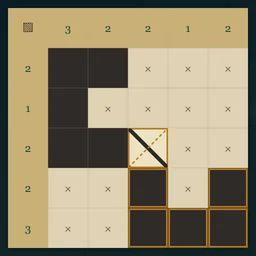
- Shade pairs of reflected shapes joined by the fixed diagonal links, matching every printed row and column count.
- How it ends
- Every editable cell is declared shaded or empty, every shape has its linked twin, and all printed counts match.
- Record
- Your first uninterrupted unaided completion time is kept for each chart; completed charts reopen as untimed practice.
- Choose Shade or Empty, then tap cells or draw a stroke. A shape connects through shared cell edges. Separate shapes may touch corners, but cannot share an edge.
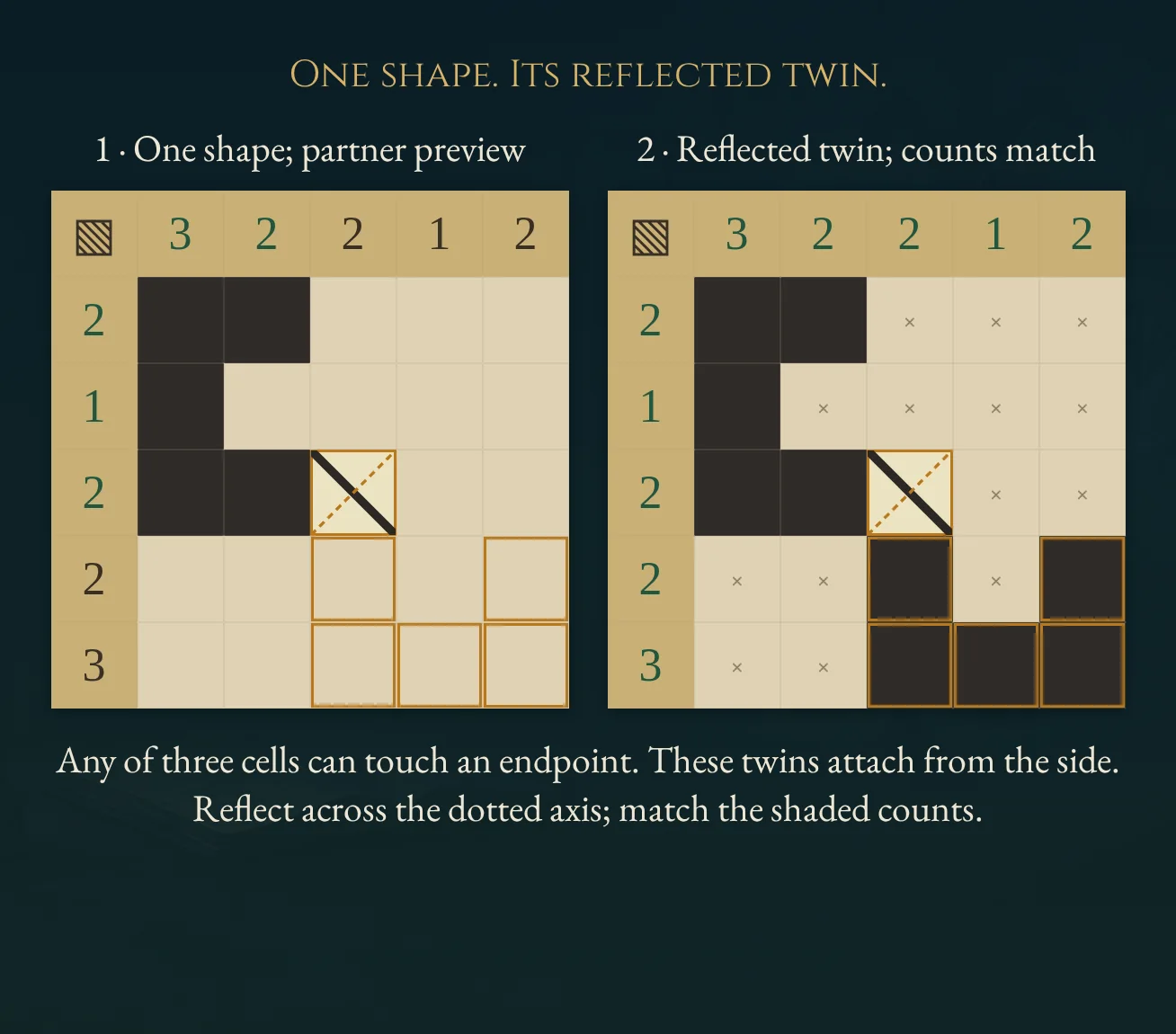
- Each fixed diagonal connects exactly two shapes at its opposite corners. Any of the three editable cells bordering an endpoint may touch it; the diagonally opposite cell need not be shaded. Reflect across the perpendicular diagonal through the link's midpoint to obtain the twin.
- Tap a fixed link to show its dotted mirror axis and a gold partner preview. The preview does not fill cells. Every link must be used, and each shape belongs to one link.
- Printed totals count shaded cells in that row or column. A dot means no count is required. Fixed link cells stay empty; all other cells must be declared shaded or empty.
Controls
| Tap / click / stroke | Apply the selected Shade, Empty or Clear tool |
|---|---|
| Arrows + Enter / Space | Move the cell cursor and apply the selected tool |
| Clear / Delete | Return a selected cell to undecided |
| Z / Y / R | Undo / Redo / open Restart confirmation |
| Pan / P | Move a large chart without changing its cells |
| Whole chart | Open a read-only overview from the chart menu |
| Escape | Cancel an active stroke, close a dialog or return to the atlas |
| Controller | D-pad move; A apply; X clear; Y Undo; shoulders Shade/Pan; B back; Start settings |
Tips for Kapama
- Reserve the twin Select a link after shading a connected shape. Its gold preview shows where the reflected partner would sit.
- Use the counts When a row or column has its full shaded total, declare its remaining editable cells empty.
- Keep shapes apart A shared edge joins shaded cells into one shape. Check that a new shade does not accidentally join two pairs.
Questions about this game
Is the printed diagonal the mirror axis?
No. It connects the twins. The mirror axis is the perpendicular diagonal through its midpoint, shown as a dotted line when the link is selected.
Why has the chart not finished?
Every editable cell must be declared shaded or empty. Counts, exact twin outlines and every link must also match.
What does a dot beside a row or column mean?
That row or column has no count constraint. A printed zero still requires no shaded cells.
Are shelves difficulty levels?
They describe four sizes, from 5×5 to 8×8, with 24 charts each. No human difficulty ranking is promised.
Does Restart reset the clock?
It clears entries while retaining the original first-solve clock. In Practice, the first finish stays unchanged. Undo restores cleared entries.
What happens on replay or reload?
Completed charts open in untimed Practice. Reloaded unfinished charts retain entries and Undo, and their time stays local.
Charts and the worked example are original. Entries and Undo save in this browser. The first clock starts when a chart is selected. Reloaded attempts and detected clock or browser-suspension discontinuities stay local. Unsafe or unavailable storage is reported in-game. This is an independent implementation of Kapama puzzle rules.
Watch how to play
About Kapama
S
h
a
d
e
r
e
f
l
e
c
t
e
d
t
w
i
n
s
h
a
p
e
s
a
r
o
u
n
d
f
i
x
e
d
d
i
a
g
o
n
a
l
l
i
n
k
s
,
t
h
e
n
m
a
t
c
h
t
h
e
p
r
i
n
t
e
d
r
o
w
a
n
d
c
o
l
u
m
n
t
o
t
a
l
s
a
c
r
o
s
s
9
6
o
r
i
g
i
n
a
l
c
h
a
r
t
s
.