Once on the Expedition map, select the current glowing ground to enter a mission. Each mission opens on Hold the Line: press Begin (Enter / South button) and play starts after a 3·2·1 countdown.
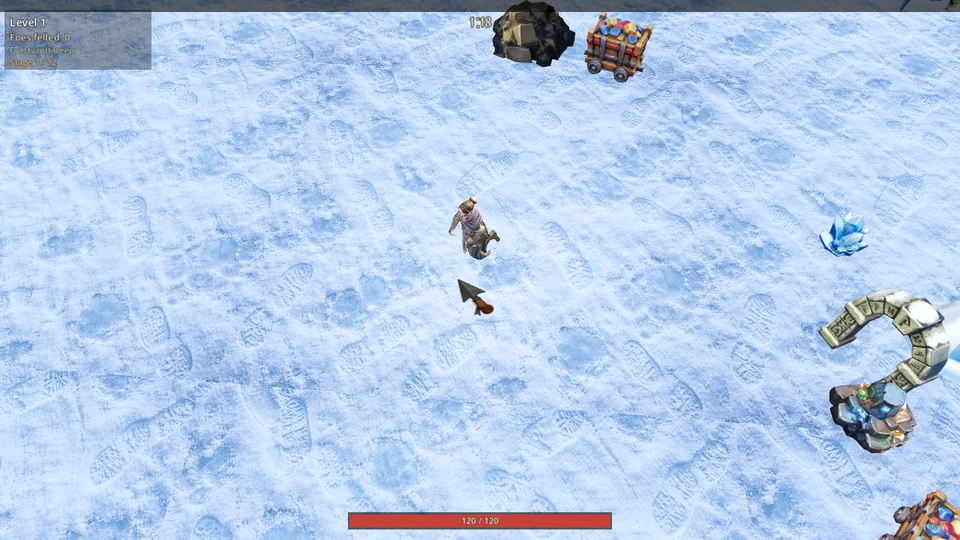
Move through the swarm
Steer the Warden. Spells fire automatically. Keep space from enemies, gather experience gems, and take health pickups when needed.
Read the HUD: top left shows your level, foes felled, ground and stage; the top timer counts down the mission. Your health is the red bar below; equipped spells and ranks sit at bottom right. The strip along the top fills with XP.
- Outlast the countdown at the top of the screen: 80 seconds on the first ground, rising to 112 on the fifth.
- At each level-up, pick one of four cards: a new spell, a new passive, or one more rank for a spell or passive you already own.
- After each ordinary ground, press Muster onward to return to the map. The sixth ground holds the warlord and lasts 130 seconds; it cannot be won while the warlord stands. Defeat it to clear the stage and unlock the next one.
- If your Warden falls, the whole expedition is lost. Again reopens the stage picker; unlocked stages stay unlocked.
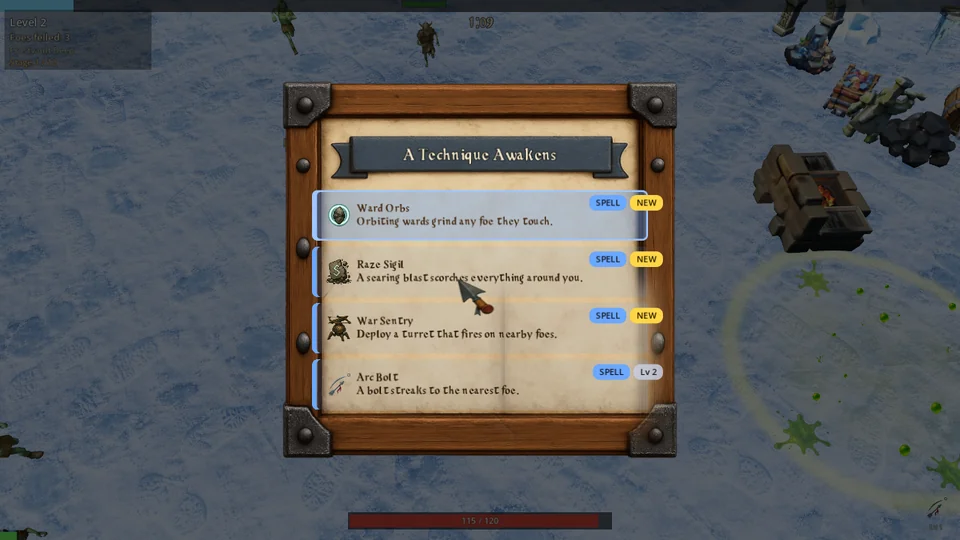
Your build carries between grounds in the same expedition. See Spells and Passives.
Controls
Use these inputs to move and navigate menus.
Move
WASD or ↑←↓→
Or hold the left mouse button to walk toward the pointer.
✣ Left stick or D-pad
Choose
Enter / Space or mouse click
South face button
Pause / back
Esc
East face button
On a level-up card, choose an offer to continue. Esc during a mission opens the pause menu: Resume, Options, Abandon Run (forfeits the expedition) or Quit Game. By default a mission also pauses when the game window loses focus; change this under Options → Game → When alt-tabbed.