Morass GamesWiki

Wardenmark · Wiki

Start here

Menus, first run and the route into a mission.

A click-by-click route from the main menu to the first mission. Screens shown here come from the current game build.

From the hall to the field

  1. First launch: choose Learn the ropes for in-game hints or I know the drill — skip. You can change tutorial hints later in Options → Game.
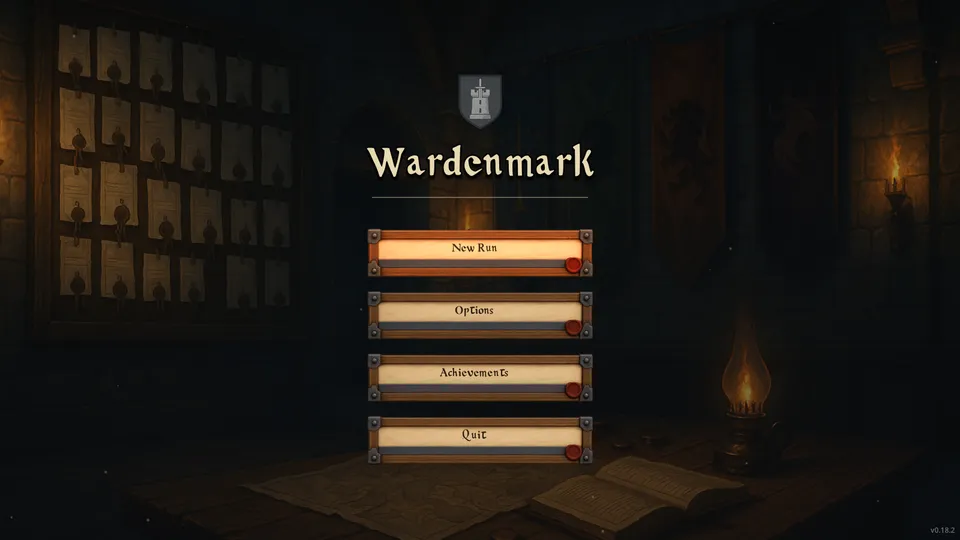
  2. Main menu: choose New Run. Use Options first if you want to set language, sound, display or controls. Achievements opens the in-game ledger.
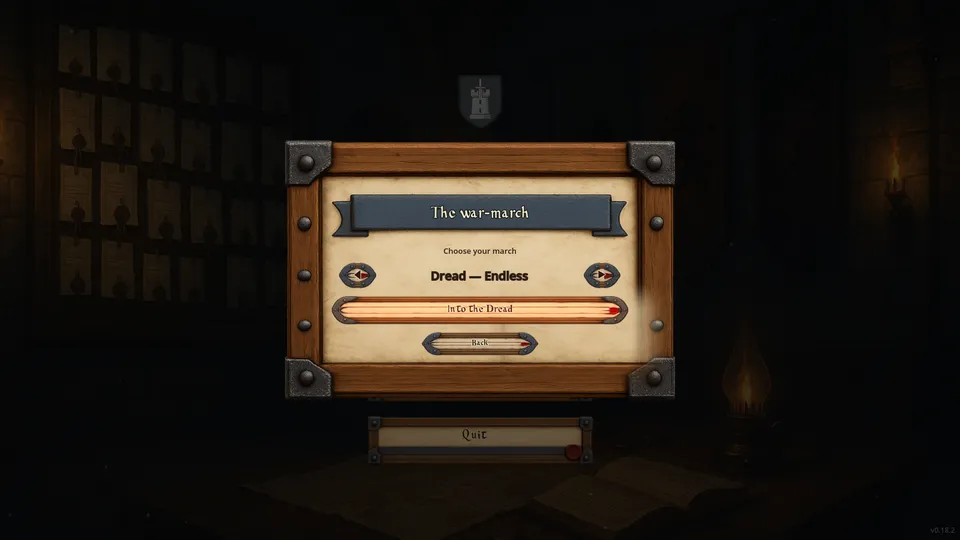
  3. The war-march: use ◀ and ▶ to choose an unlocked stage of the twelve. New saves begin at Stage 1; clearing a stage unlocks the next, and Dread — Endless appears after Stage 12. Select Begin the march (it reads Into the Dread for the endless mode).
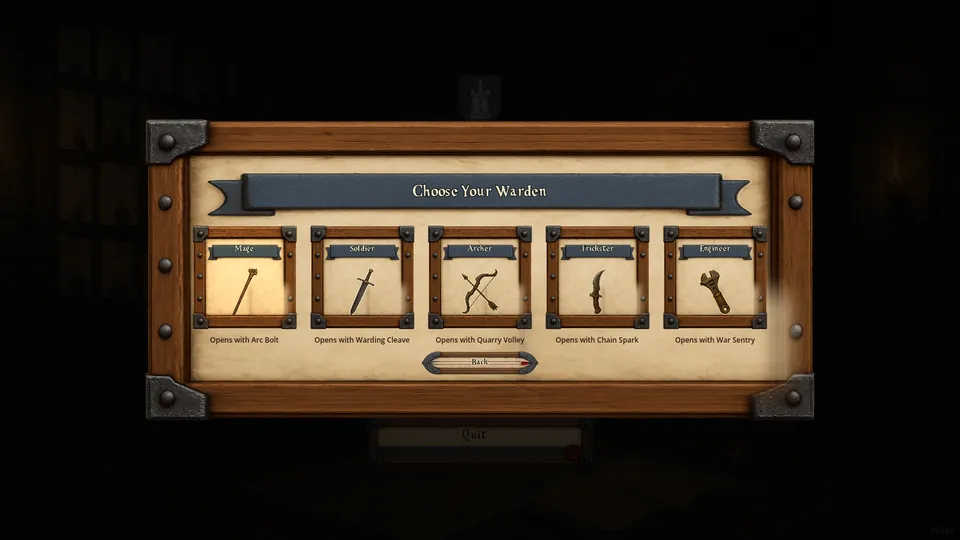
  4. Choose Your Warden: pick a card. Each Warden starts with the spell written beneath it. A new save offers the Mage, Soldier and Archer; the Trickster joins after your first stage clear, and the Engineer after you clear Stage 4.
  5. The Expedition: select the glowing ground marked ▶. An expedition is six grounds fought in a fixed order, drawn at random for each expedition; only the current one can be entered. After each clear, press Muster onward and the next ground lights up. Your level, spells and passives carry through the expedition.
Main menu with New Run, Options, Achievements and Quit
1 · New Run begins the route.
War-march panel with stage arrows and a start button
2 · Stage picker. This returning-player capture shows Dread unlocked.
Warden selection cards with a starting spell under each
3 · Each Warden card names its starting spell. All five are shown here; a new save shows the Mage, Soldier and Archer.