Orbs and recipes
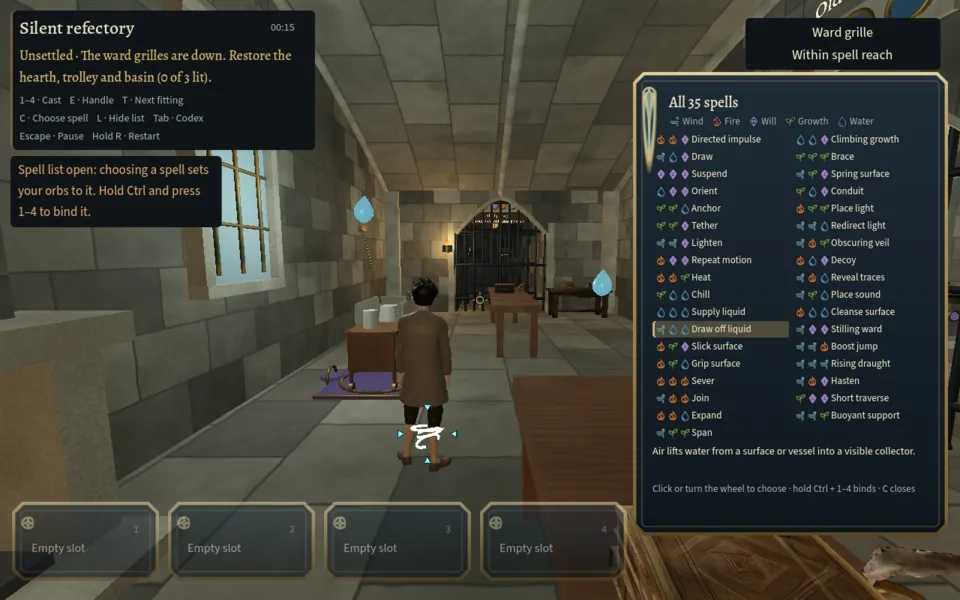
Three orbs circle your student, and a small arrow marks the one you are changing. Each orb is one of five elements: Wind, Fire, Will, Growth and Water. The three together are a recipe. Order never matters, so Wind, Wind, Fire is the same recipe as Fire, Wind, Wind. That gives exactly 35 recipes and every one is a spell: five pure recipes of a single element, twenty of two-and-one, and ten with three different elements. A new journey starts with Wind, Water, Water on the orbs and all four slots empty.
There are two ways to set the orbs. One is to work them directly: Q/Z move to the next or previous orb, and B/V (or the mouse wheel) change its element. The other is to pick the spell you want from the list on the right of the screen, which sets all three orbs for you: hold Alt and click a row, or press C and walk the list. On a pad, L2 opens the list and the D-pad moves through it.
Binding and casting
- Bind: hold Ctrl and press 1–4 (pad: hold R1 and press a face button). The game answers
Bound to slot 2.
A recipe can live in only one slot at a time; binding it again says which slot already holds it. - Cast: press 1–4 (pad: hold R2 and press the face button). The spell goes to whatever is under the crosshair, up to 10 m away along a clear line. Left click recasts the slot you used last, which is underlined in brass.
- Recovery: after a cast, that spell needs 0.65 seconds before it can be cast again, and its slot card shows a recovery bar. The other slots are not affected.
- Self spells: Boost jump, Rising draught, Hasten and Short traverse act on you, not on a target.
- A spell that finds nothing unravels. Cast into open air, or at something it cannot affect, and the game says so in that element's words, for example
Directed impulse flares, finds nothing to catch and sputters out.
Nothing is lost, except the chance of Every Word Counted on that journey.
Fittings and your hands
Everything you can work in a room is a fitting: a door, a hood, a lever, a cup, a ring. When the crosshair rests on one, a small card under it gives its name and what you can do from where you stand, such as E · interact
or Within spell reach
. Furniture and carved decoration say Not part of the repair
, so a card tells you at once whether something matters.
E handles a fitting within about 2.4 m. X turns the ones that turn. T swings your view to the next fitting in the room, and Y back to the one before, which is the quickest way to learn what a room contains. Every fitting answers every spell and every touch with a line of text, so a wrong guess still tells you what that spell did there.
Each puzzle room also has a reading lamp and a reading shutter. They change the light, never the puzzle: use them when a room is too dark to read.
Rooms, chapters and the way on
The university has 43 spaces on six levels, joined by 50 corridors and five stair towers. 35 of them are puzzle rooms: 25 small ones and 10 major ones, of which five small rooms are optional detours. The journey runs through five chapters, each with a hub, four small rooms and two major rooms. The major rooms open the way to the next chapter. See Rooms for every space.
The card at top left names the room you are in and its state. An unsettled room shows its problem, for example Unsettled · The vent door swings shut in the draft before anyone can pass.
, and counts the repairs as you make them. A settled room reads Onward
and names the ways out. The journey is finished when both major rooms of chapter 5 are settled; the game then says you can keep exploring.
Failing and restarting
Most rooms cannot be lost. A few can fail: the whispering stacks if its stone listener catches you, the sagging gallery if you stand on its beam while it is overloaded, the choked cistern if the water reaches the refuge. A failure returns that room to the state it was in when you entered and keeps everything else, including rooms settled earlier. You can do the same at any time by holding R for one second, or with Restart from autosave in the pause menu.
Saves
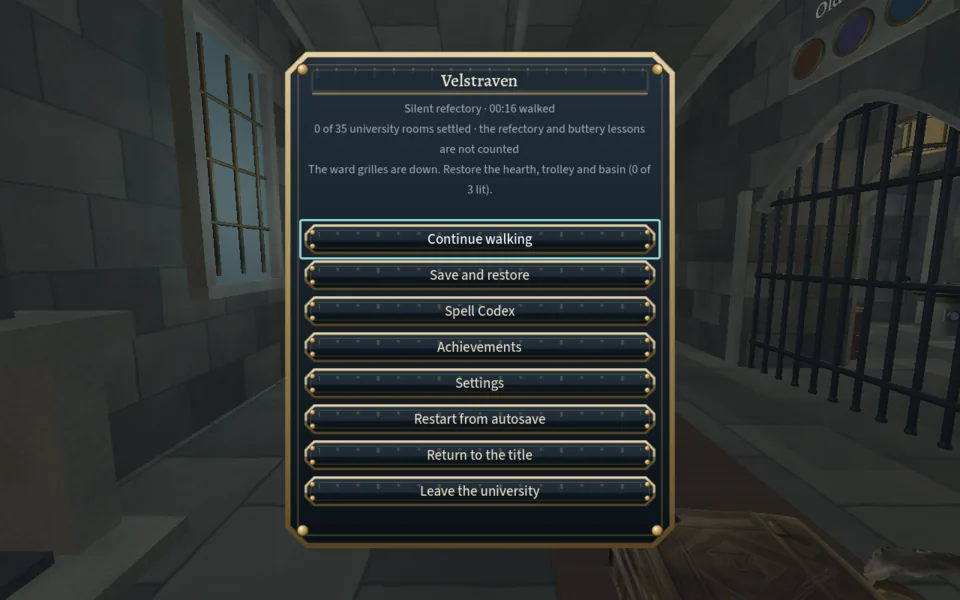
The game saves automatically every time you enter a room. That automatic slot is what a restart returns to; it cannot be overwritten or deleted. Pause → Save and restore offers five slots of your own, each with a picture of where you stood, the number of rooms settled and the time played. Return to the title also writes the automatic save first.
The Spell Codex and Achievements
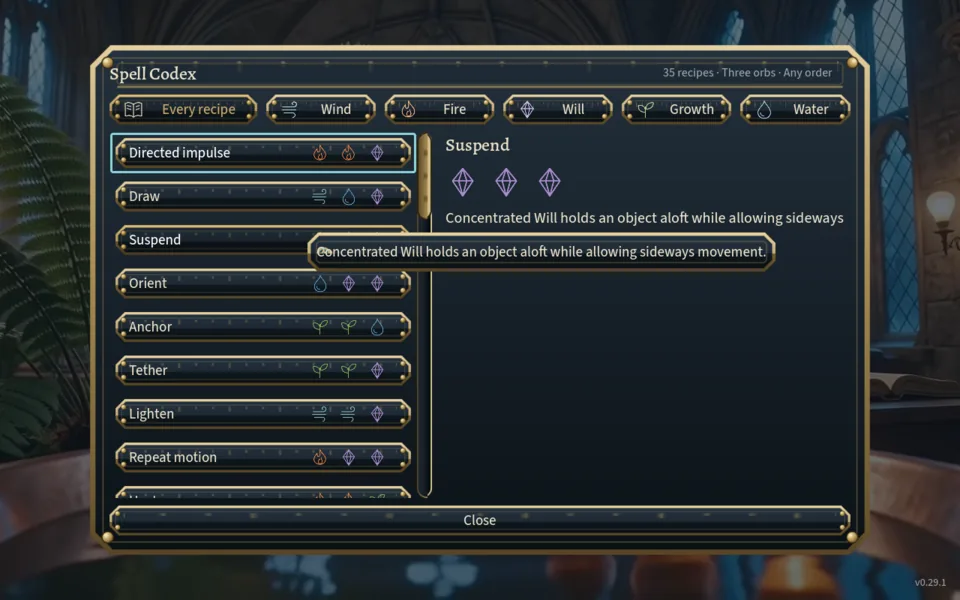
The Spell Codex (title screen, pause menu, or Tab) lists all 35 recipes with their three orb marks and a one-line description, filtered by element. Opened during a journey it has a Set these orbs button. Two of its descriptions are out of date: Stilling ward and Rising draught still carry the text of the spells they replaced. The Spells page here describes what they actually do.
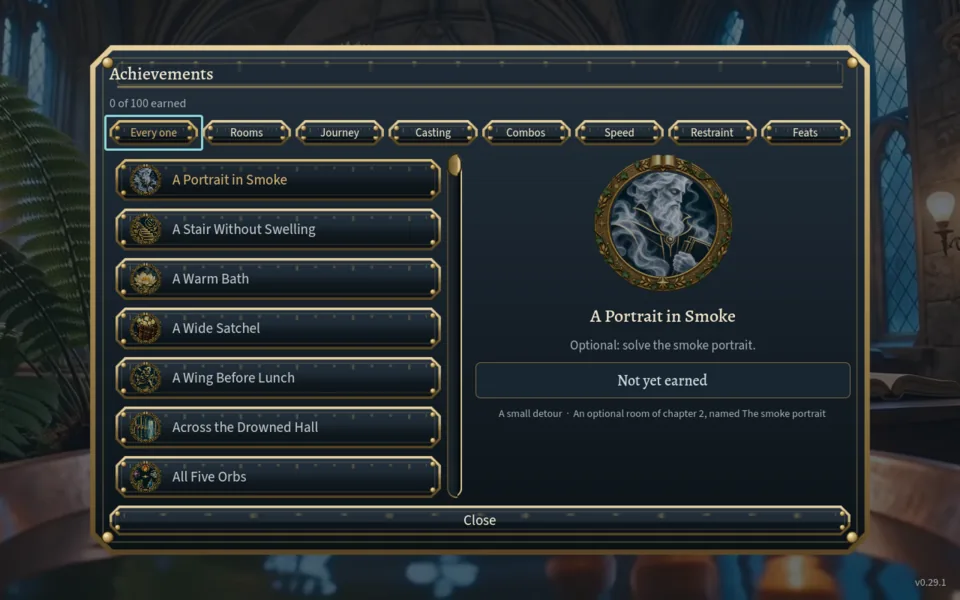
Achievements holds 100 of them, filtered by Rooms, Journey, Casting, Combos, Speed, Restraint and Feats. None are hidden. See Achievements for what each one actually counts.