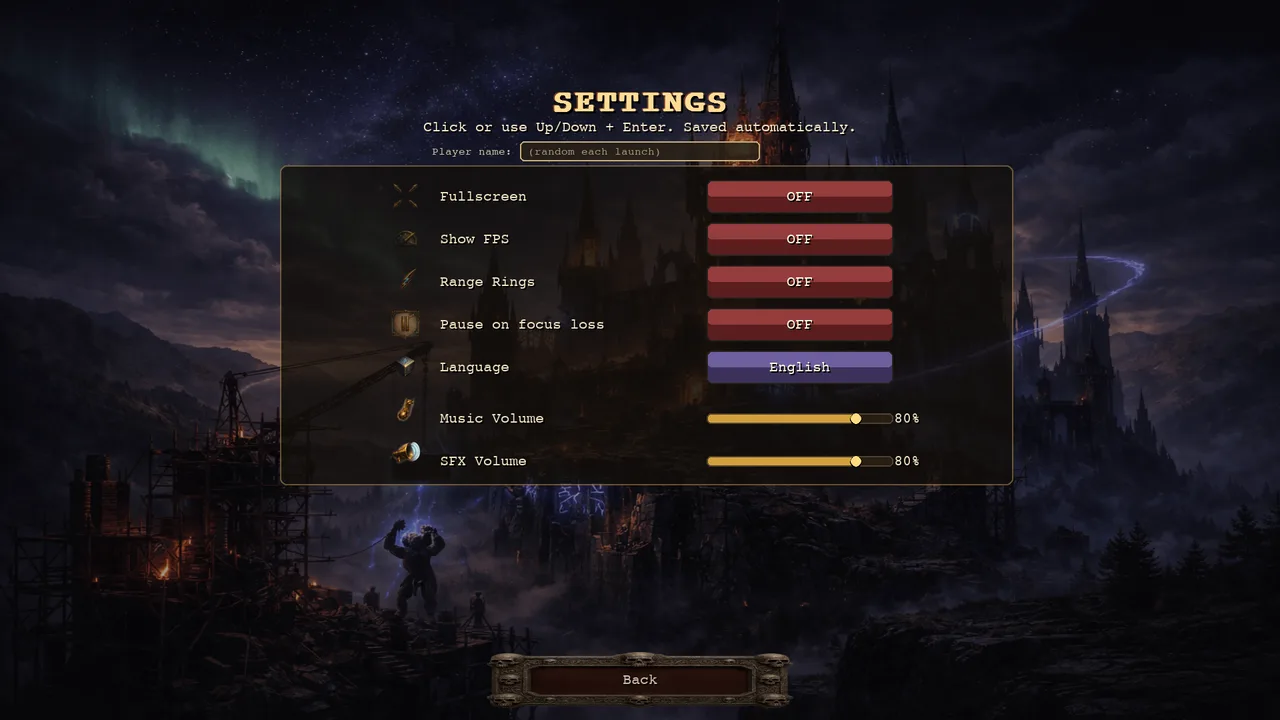
Settings live on the main menu, before or after a run rather than inside one. Everything saves the moment you change it; there is no apply or confirm step. Click a row, or use ↑↓ and Enter; ←→ move a volume slider in 5% steps and step through the languages.
Display
Fullscreen — on or off. Off by default.
Show FPS — puts a frame counter in the corner. Off by default.
Range Rings — off by default. When on, the tower you select or hover shows its range, and while building, the preview shows the new tower's range and highlights the enemies inside it. Worth turning on while you learn where a tower's reach actually ends.
Audio
Music Volume and SFX Volume, adjusted separately. Both start at 80%.
Interruptions
Pause on focus loss — pauses when the window goes to the background. It is off by default, and it is solo-only: pausing a co-op game would stop it for everyone.
Identity and language
Player name — the field above the list, and what other players see in co-op. Left blank, the game generates a Player-XXXX name fresh each launch.
Language — sixteen are shipped. Clicking the row opens the full list. English and Czech are hand-checked; the other fourteen are machine translations.
A controller reaches all of this: d-pad up and down to move, A to switch a row, d-pad left and right for the volume sliders, and the player-name field opens an on-screen keyboard.