Get Maelis to her mark, the X. Everything below is about reading what the set will do, and choosing the edit that changes it.
Reading the screen
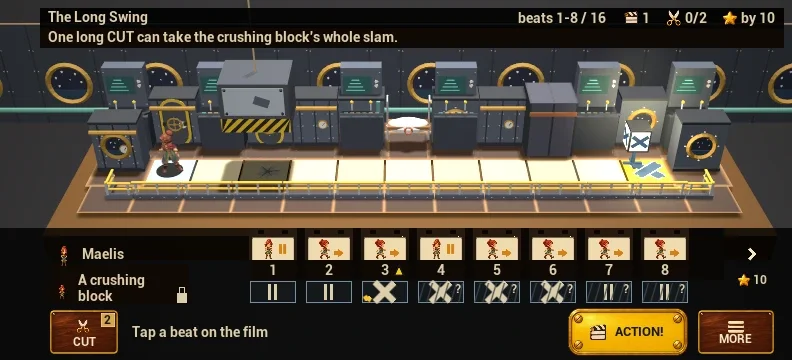
- The header names the scene. Its icon row shows the goals: the edits so far against the Edits star's limit ("Edits 1 / 2"), the Early star's beat ("by 14"), and the lap ("Lap 2").
- The film strip has one frame per beat, numbered from 1. A long strip shows part of itself at a time ("beats 1-9 / 24").
- One lane per performer runs under the strip: its script, beat by beat. An arrow is a step that way; a frame with no arrow is a wait; ? means not reached yet. A lane marked On a timer keeps its beat whatever you edit. A locked lane can't be picked, but your edits still move it.
- Strike marks: a mark under a beat number means something strikes on that beat. After a failed take, the beats after the fail are left unchecked.
- The next step is always written on the band: "Tap a beat on the film", then "Now press CUT" (or "Now pick a tool" when there are several), then "Press ACTION!".
- Pick a performer on the set, or its lane, to read its script.
The idea in one breath
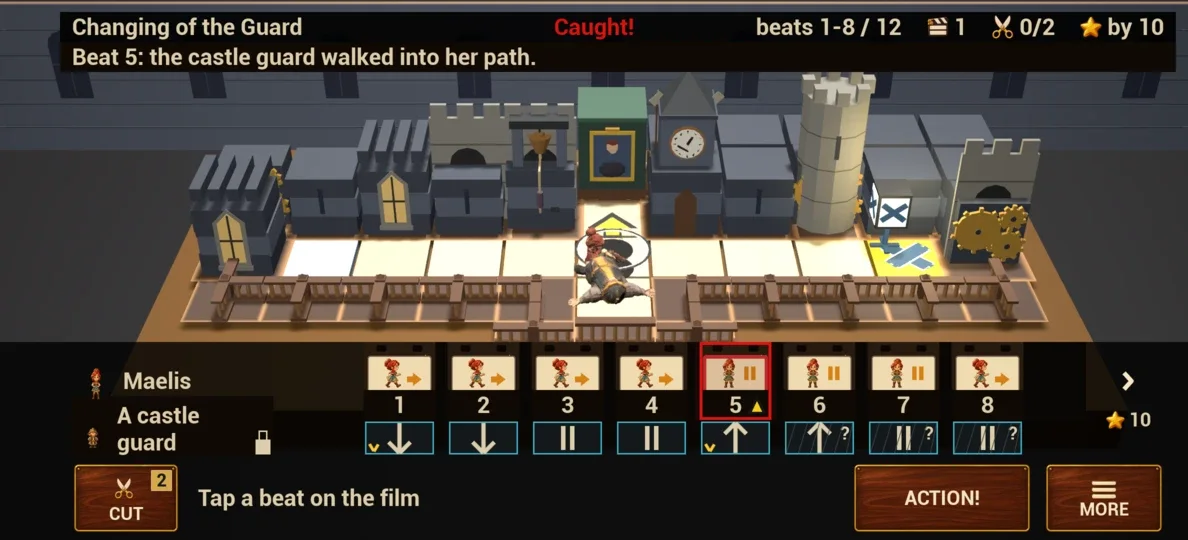
Every performer on the set follows its own script, beat by beat. As written, Maelis walks into trouble. You can't move anyone: you edit the film strip, and every edit changes every script on the set at once. Some things are on a timer instead (a blast, a falling front, a swinging sandbag): they keep their beat whatever you edit, so you shift her against them.
The loop and lap 2
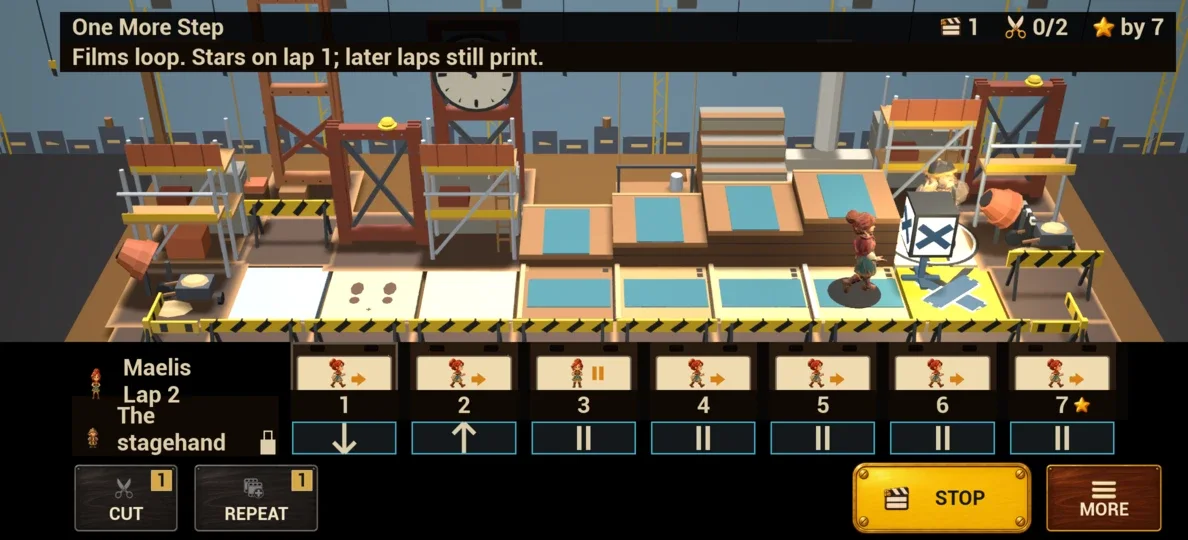
When the film runs out, every script starts again from the top, hers too: the film loops. The header then says Lap 2, and a fail card on a later lap says so ("Beat 1 (lap 2): ..."). Stars are only for lap 1; a win on a later lap still prints the scene.
Stars and box office
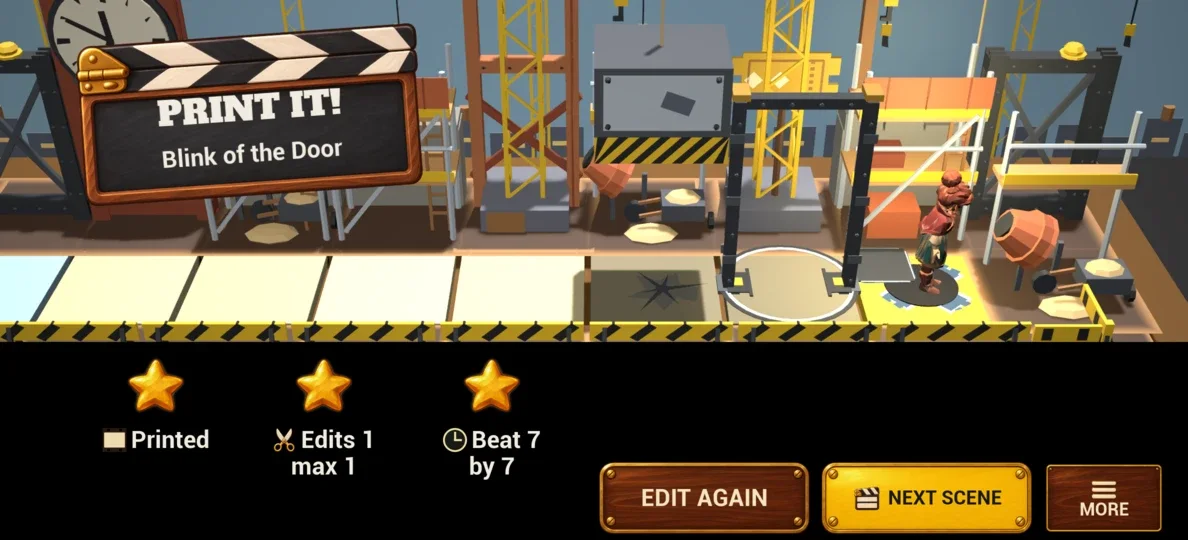
- Printed: any win.
- Edits star: win on the first lap with that many edits or fewer.
- Early star: reach the X by the beat on the slate, on the first lap.
- Different takes: the two stars can come from different takes; in many scenes the fewest edits and the earliest arrival are two separate solutions.
- Long take: the film loops; a win on a later lap still prints the scene, without those two stars.
- Box office: scores every printed take; each hint costs some of it.
One edit, a run of beats
Pick a run of beats on the strip, then press a tool: one edit changes that whole run, for every script at once. Each tool takes a run of its own length:
- One CUT removes a run of any length from every script.
- One REPEAT plays a run of up to 8 beats twice.
- One REVERSE plays a run of 2 to 8 beats last to first.
- One FLIP turns steps around, open into shut, up to 8 beats.
- One HOLD adds 1 to 4 waits before the run: one per beat.
- One MOVE sets a run of up to 8 beats in another gap.
The Tools codex has each one in full.
Timed beats on the strip
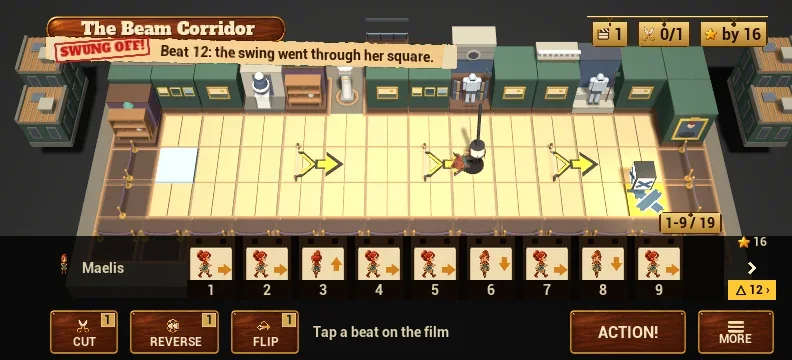
A swing, a blast or a strike happens on its own beat, whatever you edit. The strip marks that beat, and when it lies past the frames on screen, a tab at the strip's end gives its number (⚠ 12 › means beat 12). Get her off that square by then, or past it before.
When a take fails
A failed take shows only the moment it went wrong: the stamp (Caught!, Swung off!, Soaked!) and one line that names the beat and what happened. Then you are back at the strip to edit again.
After your third failed take in a scene, a small Skip scene plate appears by ACTION!: the next scene is open, and you can come back to this one from the reels.
Scenes of two, three and four edits
Most scenes need one or two edits; a few later ones need three or four, each with its own job. Most scenes of three or more edits give you one spare edit.
Hints
Open More and press Hint. A hint comes in two steps and never makes the edit for you:
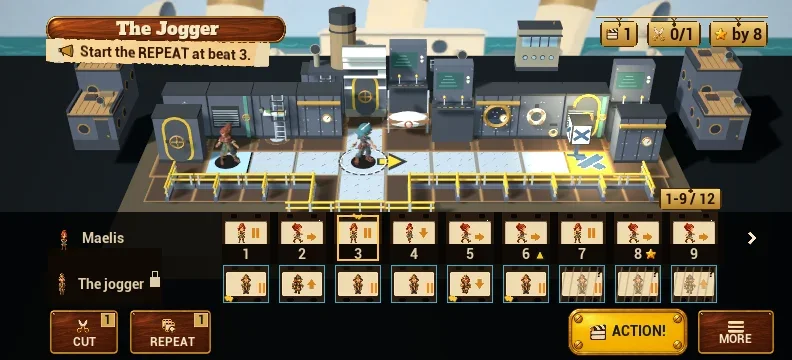
- the first says where the take goes wrong and which tool fixes it ("Watch the jogger on beat 6. A REPEAT fixes it.");
- the second says where that edit starts ("Start the REPEAT at beat 3."). Where it ends is yours to choose.
In a scene of more edits, each hint says which edit it is ("Edit 1 of 2: ..."), and the next edit's hints come once the first is made. If your later edits have left the way, the hint first says so: "Good start. UNDO your last edit, then: ...", or, when it cannot follow your edits at all, "I can't follow these edits. For my way, Reset, then: ...". Each step costs some box office.
Words on set
| Word | What it means |
|---|---|
| Take | One run of the film, from ACTION! until it prints or fails. |
| Beat | One frame of the strip. Everyone on the set acts once per beat. |
| Script | What one performer does, beat by beat. Tap a performer to read it. |
| Strip | The film strip under the set: one frame per beat, numbered from 1. You edit the strip, never the people. |
| Edit | One use of a tool on the strip. Every edit changes every script at once. |
| On a timer | On a timer: it keeps its beat, whatever you edit. |
| A take that gets Maelis to her mark, the X. | |
| Long take | A win on a later lap of the looping film: it prints, without the two stars. |
| Out of film | Out of film: the script ended before she reached her mark. |
| Edits star | Win on the first lap with no more edits than the limit in the header. |
| Early star | Reach the X by the beat shown in the header (★ by 10 means beat 10 or sooner), on the first lap. |
| Reel | A run of scenes, played in order; the Scenes codex lists them reel by reel. |
| Follywood | Follywood: the studio quarter of Veldrenmar. Every film in the game is shot there. |