Open Settings from the main menu. Drag a slider or click a box, or move with ↑↓ and change a row with ←→. Esc or Back returns to the menu.
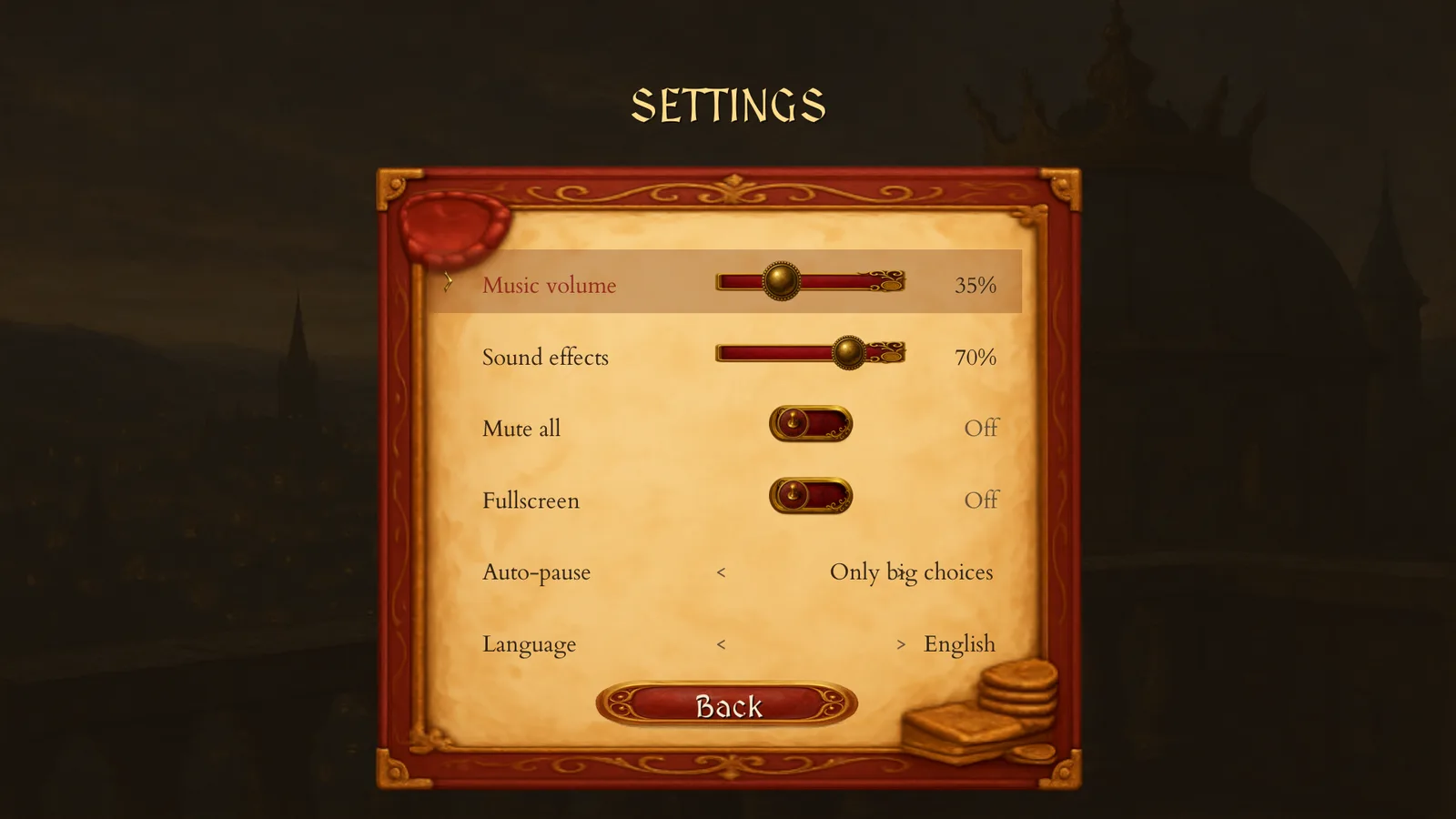
| Row | What it does | Default |
|---|---|---|
| Music volume | 0–100% in steps of 10. | 35% |
| Sound effects | 0–100% in steps of 10. | 70% |
| Mute all | Silences music and effects. | Off |
| Fullscreen | Switches between a window and the full screen. | Off |
| Auto-pause | How often Auto stops for a check-in: Fortnightly (14 days), Monthly (30), Seasonal (78), Yearly (390), or Only big choices. Auto always stops for a real decision whatever this says. | Only big choices |
| Language | Opens a grid of sixteen languages: English, Čeština, Dansk, Deutsch, Español, Suomi, Français, Italiano, 日本語, 한국어, Norsk Bokmål, Polski, Português, Slovenčina, Svenska and 中文. | English |
| Back | Returns to the main menu. | — |
The speed of Auto is not on this screen: change it during play with + and −.
Where the game keeps its files
On macOS, settings, saves and your achievement collection live in ~/Library/Application Support/TheConcordQuarter/. The game autosaves every 30 days of play and when you leave a life with Esc. Seven manual slots sit beside the autosave: pick one with 1–7, save with F5 and load with F9. The help screen lists only slots 1–3, but all seven work.