Settings opens from the Menu button on the top bar or with O on the title panel. Changes take effect at once and are kept in the browser with the village.
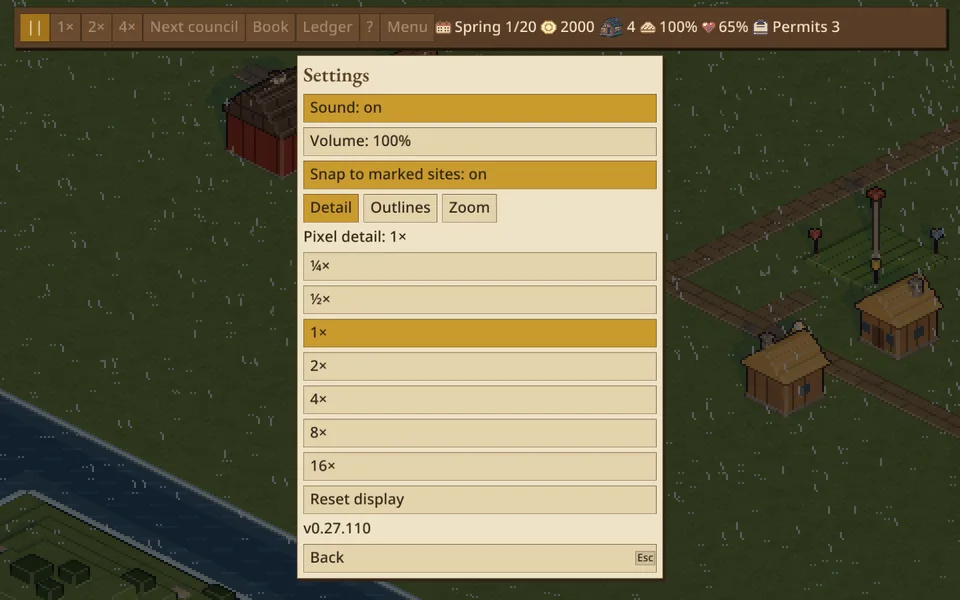
Settings
| Row | Choices |
|---|---|
| Sound | On / off (M on the title panel) |
| Volume | A percentage |
| Snap to marked sites | On: a building being placed jumps to the nearest violet mark. Off: it follows the pointer freely. |
| Detail | Pixel detail ¼×, ½×, 1×, 2×, 4×, 8× or 16× |
| Outlines | Outline width 1, 2, 3 or 4 px |
| Zoom | Camera range Normal, Wide, Near or Custom |
| Reset display | Puts detail, outlines and zoom back as the game shipped them |
Keys and mouse
| Key | Does |
|---|---|
| Space | Pause |
| 1, 2, 4 | Speed 1×, 2×, 4× (one season takes 90 seconds at 1×). In a council, 1–6 choose a card. |
| 0 | No event this year (in the event choice) |
| N | Next council: ends the season at once. On the title panel, New village. |
| B | Build panel |
| T / Y | Turn the building being placed. In a council, Y takes a plan that cannot go up yet. |
| H | Hold the event |
| K | The village book |
| L | The Ledger |
| F1 | How to play; in a council, About plans or About events |
| Left / Right | Turn pages in the book |
| Esc, right-click | Stop placing, close panels |
| O, M | Settings and Sound on the title panel |
| Mouse | Drag to pan, right-drag to turn the view, wheel to zoom |