Choose your build
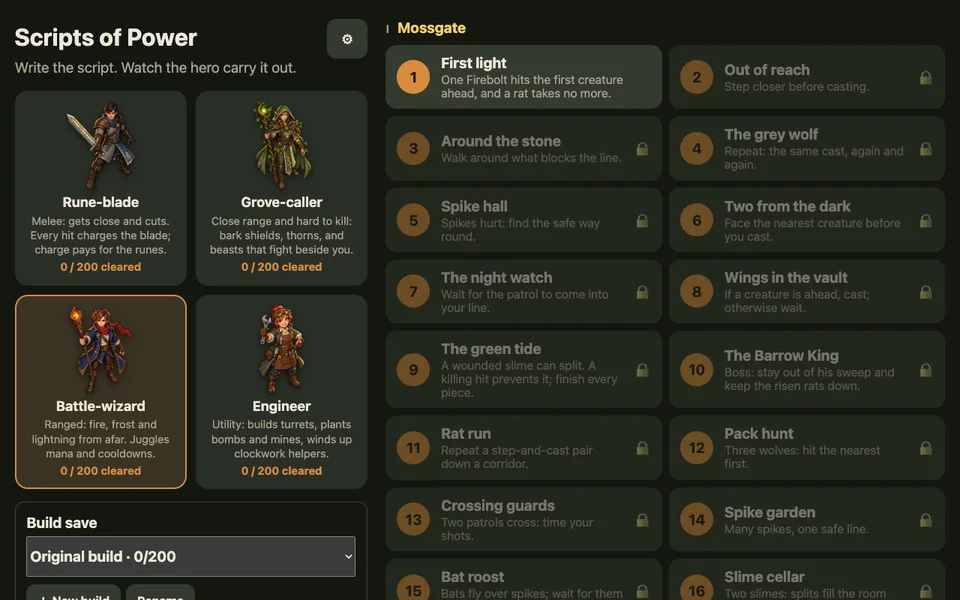
Choose Rune-blade, Grove-caller, Battle-wizard or Engineer. All four heroes are available from the start, and each plays the same room layouts with a different kit. Under Build save, keep your current build or choose + New build to try different drafts from the beginning.
How to play
- Choose First light. Read the room hint and the creature card.
- Choose ✎ Write my script to close the introduction.
- Add commands from the palette, or choose ⌨ Write text. On a narrow screen, open Edit, then Type script.
- Press ▶ to play. The hero carries out your instructions in order. Every step, change of facing and spell must come from your script.
- After winning a new room, choose a reward and continue. Replaying a cleared room improves your records but gives no extra reward.
A spell fires according to its own shape and your facing. Check its range, cost and recovery in Your kit. Casting when it cannot work wastes an opportunity; a short script is useful only if it wins.
Writing commands
- Move and turn
step up,step down,step leftandstep rightmove one tile.face rightchanges facing without choosing a route for you.- Cast and wait
cast fireboltuses a spell in the current kit.waitpasses a turn. Spell names can be shortened when the match is unambiguous; the editor suggests completions.- Repeat
repeat 3:runs its indented body three times.loop:repeats its body while the fight continues.- Choose
if enemy ahead within 4:runs its body when that condition holds. An optionalelse:body handles the other case.- Stop repeating
until enemy within 2:repeats its body until the condition is true. If it is already true, the body is skipped.- Count
counter + 1increases the counter;counter to 0resets it. A condition such ascounter >= 3can test it.
These are language examples, not a script that solves every room. Use the room’s actual geometry, enemies and current spells.
Conditions
Test enemy ahead within 4, enemy within 2, HP < 10, mana >= 5, enemies left < 2, blocked, trap or firebolt ready. Use your hero’s resource name in place of mana. You can join two tests with and, or negate a condition with not. Readiness alone does not establish that a target is in the spell’s path.
Move a whole block
Indentation says which commands belong inside a block. In the text editor, select the lines and use Tab to move them right or Shift + Tab to move them left. When a completion is offered, Tab accepts it first. With tiles, select a row and use its move controls; the row’s nested body moves with it. A block header ends with :, and its body must be indented further.
Rites and saved commands
Add a rite, give it a name and write its body. Call it from Main with call "My rite". In text, its definition starts with rite "My rite": at the left edge. Rites are shared across a hero’s build saves. Editing a rite can change its availability: a rite using a spell learned later is unavailable when replaying an earlier room. Recent commands and favourites are remembered when device storage permits.
Inspect a run
Play or pause with Space; use . for one instruction. The playback controls can step a turn, rewind or run to the end. Use 1–4 to change playback speed. On touchscreens, use the labelled controls. The highlighted script row and the board let you compare the instruction with what happened.
Four kinds of improvement
Turns, executed instructions, script rows and HP left are separate records. A short loop can run for many turns; a longer script can finish faster or keep more HP. Improve one measure, run the script again, and compare the actual result. The Codex explains every spell and passive so you can explore alternatives.