Open SETTINGS from the title menu or from the pause menu (Esc in a run). It has three pages, VIDEO, AUDIO and CONTROLS. Move with ↑↓, change a row or the page with ←→, or click. Esc (pad B) goes back.
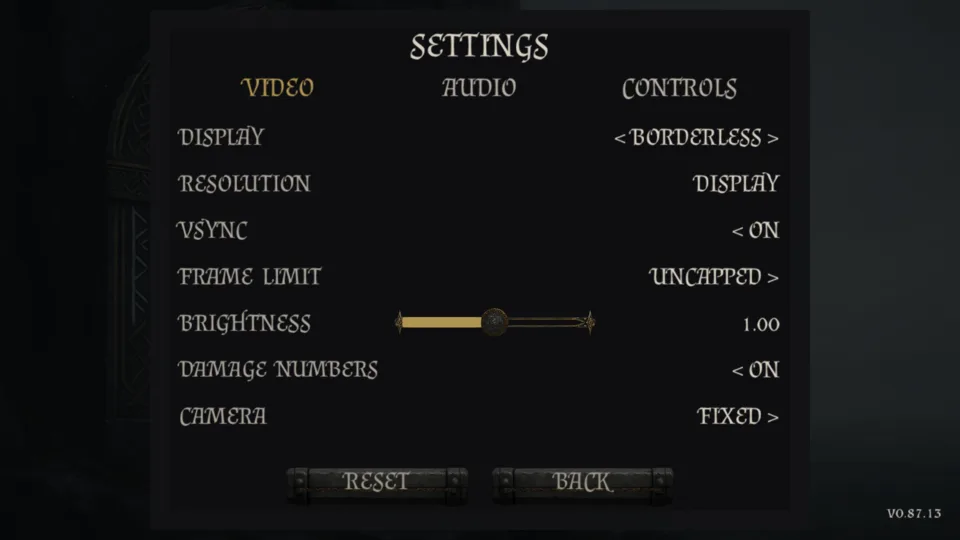
Video
- Display
- Windowed, Borderless or Fullscreen; starts Borderless.
- Resolution
- Your display's own size first, then every mode the graphics card offers.
- VSync
- On or Off; starts On.
- Frame limit
- Uncapped, 30, 60, 120, 144 or 240; starts Uncapped.
- Brightness
- A slider from 0.50 to 1.50; starts at 1.00.
- Damage numbers
- On or Off: the figures that float over a foe you hit. Starts On.
- Camera
- Fixed, or Avoid walls; starts Fixed.
Audio
- Master, Music, Effects
- Three sliders from 0 to 100%, in steps of 5% with the keys; all start at 100%.
Controls
A read-only list of every binding, grouped DELVE, SPOILS and MENUS, spelled for the device you used last. Keys cannot be rebound. The same list is on the Start page.
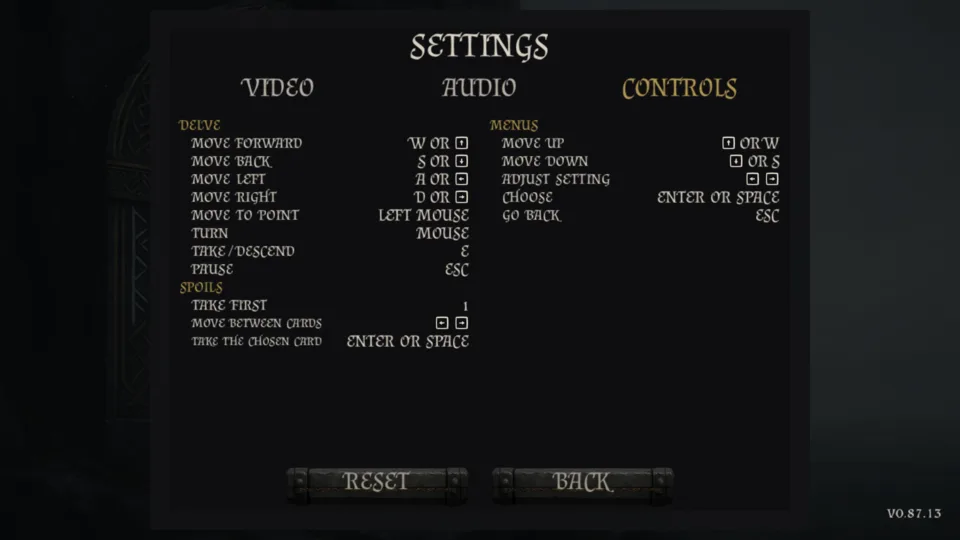
RESET puts every row back as it was on a first launch; BACK closes the panel.