Time
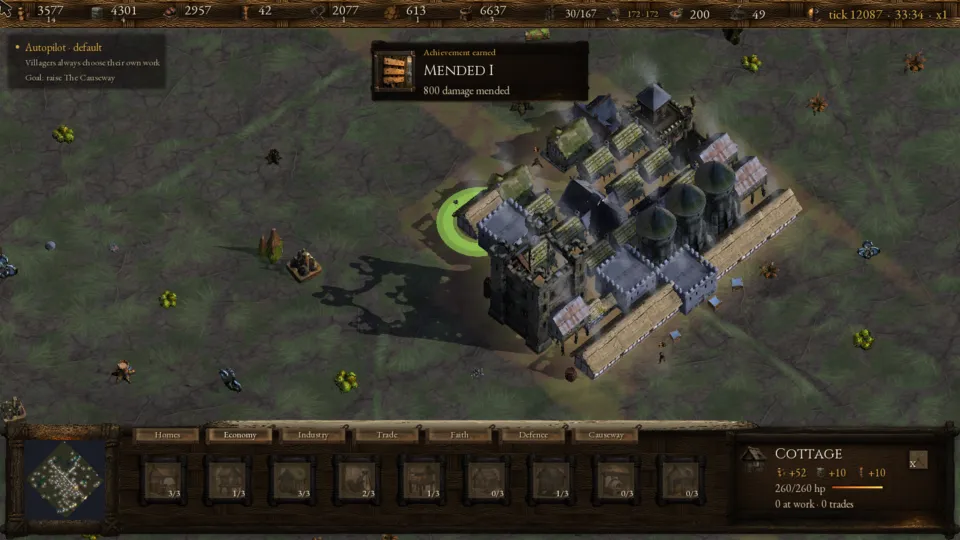
A run is counted in ticks, shown top right with the clock: tick 7636 · 21:12 · x1. The clock is game time, six ticks to a second. Keys 1, 2 and 3 run the game at ×1, ×3 and ×8; Space holds the clock and lets it go; Esc opens the pause menu. Every threshold in the game, achievements included, is in ticks, so speed changes only how long you wait.
A day is 2,400 ticks (6:40). Its second half is night: sight falls from 9 tiles to 5, and each nightfall draws one of six night events.
Building
- The palette at the bottom has a tab per category. B steps through what can be raised, Tab switches tab, a click on the fen (or Enter) places the picked building and Backspace drops the pick. Hovering a slot shows its cost and, while it is locked, the next thing it needs.
- Only dry land takes a building, except that a gathering building may stand on a tile of what it gathers. A placement that would wall the holding off from the fen is refused, and a building marked Shore only must touch open water.
- At most three foundations can be open at once; an upgrade does not count against that. Each building can stand up to three times and each kind of home twelve times, counting its upgrades and any of its foundations still open; the Holdfast and The Causeway once.
- Upgrades are buildings. Click a finished building and its next rung appears in the palette, or point at it and press U. It becomes a site again and does no work until the new rung is finished. The Buildings Codex shows each ladder and what every step buys.
- X or Delete pulls down the building under the pointer and gives back half of what its whole ladder cost. Cancelling a half-built foundation is a demolish too. The Holdfast cannot be pulled down.
Work, food and mood
- Villagers choose their own work: an unfinished building first, then a badly damaged one, then whatever the holding is shortest of. You can click or box them to read what they carry, but not order them. When the notice says a resource is at zero, P puts idle hands on it; Idle bodies in the Orders panel does the same for any resource.
- Gatherers walk to a node, take a full load of 300 (more with a Storehouse or Granary) and carry it home: the walk is the cost. Workshops turn stock into goods at their rate per 100 work, and stop rather than spend a building material below a quarter of its stock target.
- Food is one larder. Villagers do not eat by the head: food goes on building upkeep, on each birth (20) and on soldiers. A food cost can be paid from any of fish, grain and game.
- Every 100 ticks each finished building's upkeep is paid and contentment is set: 100, plus every finished building's Mood, plus 10 for two kinds of food each holding a tenth of the larder or 20 for all three, minus 40 if any upkeep went unpaid. Work runs at 50% plus half of contentment, so 100% at 100 and 150% at the top of 200.
- The holding grows by one villager every 420 ticks while housing has room and the larder holds at least 20 food.
Waves and soldiers
- The first wave comes at tick 1,200 and another every 640 ticks, day or night. Every awake Sundered Place sends 7 raiders plus one per wave gone by, and another lair wakes every 12 waves.
- Towers shoot on their own. Soldiers are recruited on their own too, once a Barracks stands, while Orders → Recruit is yes.
- Box soldiers with a left-drag and right-click the ground to post them there, or right-click a lair to storm it. R sends the picked soldiers back to their own work; . jumps to the next soldier waiting for orders.
- A building a raid destroys is raised again as a wreck, for half its cost, once the last raider of that raid is dead; menders then restore it free. Damaged buildings below 70% are mended for 1 wood and 1 stone per hit point.
- Recruit
- Yes or no: whether the Barracks line trains soldiers. Starts on yes.
- Army cap
- None, or 0 to 60 in steps of 2: no more soldiers than this are trained. Starts on none.
- Muster before marching
- How many waiting soldiers make the army march on a lair by itself, 1 to 40; 0 never marches. Starts at 6.
- Dig crew
- How many idle villagers may dig ruin-caches at once, 1 to 8; 0 never digs. Starts at 2.
- Specialise villagers
- Yes or no: whether a Guildhall trains specialists. Starts on yes.
- Idle bodies
- Shortest stock, or one resource that idle villagers go to first.
- March on
- The nearest waking lair, or one you have seen, named by its family and distance.
- March now
- Sends every waiting soldier against the lair March on names.
- Recall the army
- Brings every soldier home and holds them there.
Autopilot
F1 hands the run to the game's own player, shown top left as Autopilot · default: it places buildings and sets the orders until you press F1 again. Achievements still unlock while it drives.
Controls
Click a row on the Controls page (Options → Controls) to rebind it; menu keys are fixed.
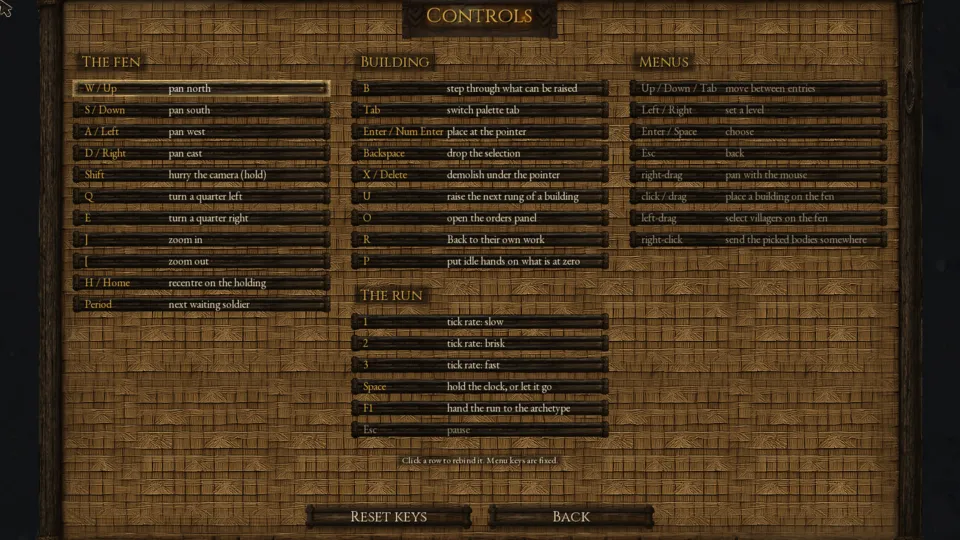
| Key | Does |
|---|---|
| WASD / arrows | Pan the fen; hold Shift to hurry |
| Right-drag | Pan with the mouse |
| Q / E | Turn a quarter left / right |
| ] / [ | Zoom in / out |
| H / Home | Recentre on the holding |
| . | Next waiting soldier |
| B / Tab | Step through what can be raised / switch palette tab |
| Click, Enter | Place a building |
| Backspace | Drop the selection |
| X / Delete | Demolish under the pointer |
| U | Raise the next rung of a building |
| O | Open the Orders panel |
| R | Back to their own work |
| P | Put idle hands on what is at zero |
| Left-drag, right-click | Select bodies; send soldiers or storm a lair |
| 1 2 3 | Speed ×1, ×3, ×8 |
| Space | Hold the clock, or let it go |
| F1 | Autopilot on or off |
| Esc | Pause menu |